ecsoft2 is moving to a new platform!

Thanks to everyone who answered our call: the site will be upgraded and will stay online, with all its content and user accounts. Over the coming months you may notice some changes. If you’ve already written to us, we’ll be in touch once the new site is ready. If you’d like to help keep the catalog up to date, ggambaattiscali [dot] it (get in touch)!


sqlMate

Version: 
1.3
Release date: 
Wednesday, 11 May, 2011

License:

Interface:

Authors/Port authors:

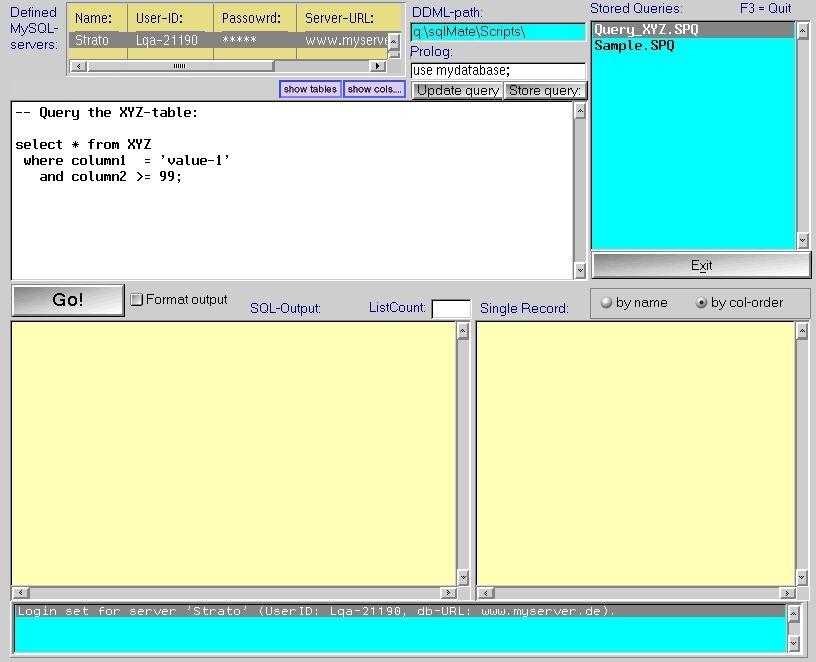
sqlMate makes working with a remote MySQL-database much more easy.

As an administrator you perform tasks such as:

  • Create tables, modify and delete tables
  • Display row-data, sometimes modify them
  • Create indexes, modify and delete them
  • Start queries
  • and many more.


This software is distributed as compressed package. You have to download and manually install it; if prerequisites are required, you will have to manually install them too.

Manual installation

Program is distributed as ZIP package: download to temporary directory and unpack to destination folder. Run install.cmd. See below for download link(s).

Online documentation:

Following ones are the download links for manual installation:

sqlMate v. 1.3 (11/5/2011, Lutz Wagner) Readme/What's new
History-Function: Whenever a SQL-command is executed (by means of the 'Go'-button) the command is saved internally. To recall any SQL-command which has been executed before you simply click on the History-button and you can select from a list of already processed commands. Note: The history-buffer is only valid during program-lifetime, i.e. after sqlMate has terminated the history vanishes also. So the History-function does not mean that you don't have to save your SQL-command finally before exiting the program.
 www.zworks.de/Download.php4?what=os2/sqlMate/sqlMate&Lang=E
Record updated last time on: 13/04/2018 - 10:24

Translate to...

Add new comment