 English
 Italiano
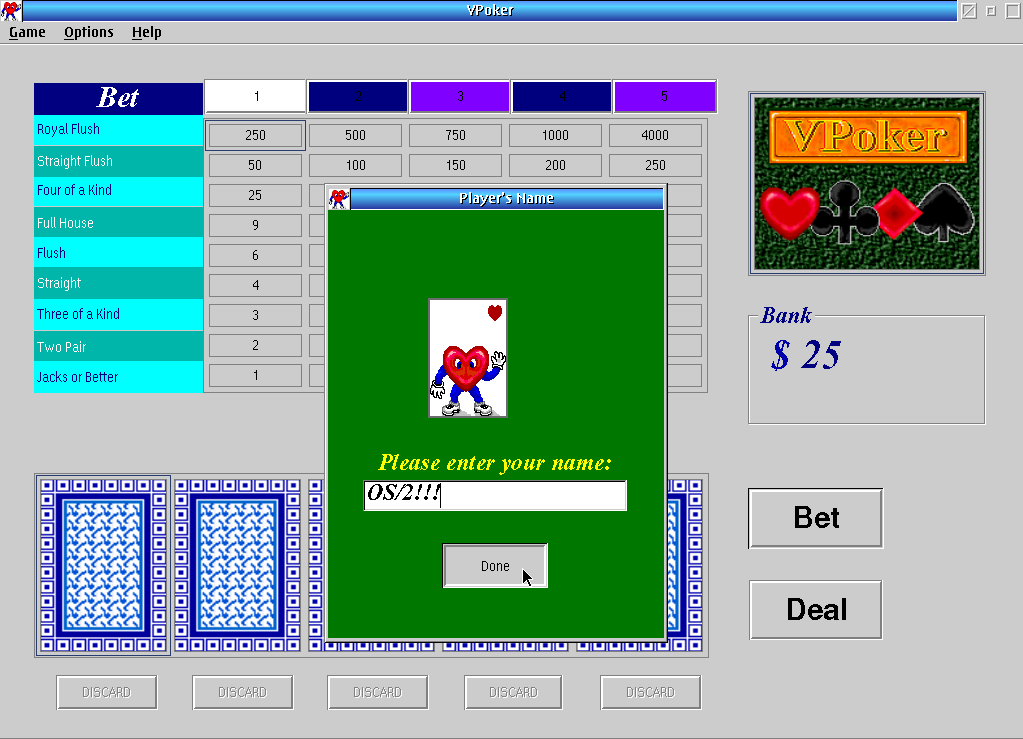
VPoker is a standard Video Poker game.
A note about the future of ecsoft2.org
ecsoft2.org runs on software (Drupal 7 and PHP 7.4) that reached its end of life years ago and no longer receives security updates. Keeping the site online safely is getting harder.
Giving it a future means migrating it to a current platform — and that is only worth doing if people still use it and want to help keep it alive.
If you care about ecsoft2.org, as a user, a contributor, or someone willing to lend a hand, please ggamba tiscali [dot] it (get in touch) by January 31, 2027.
If no one comes forward by then, the site will be turned into a read-only archive, so that its content stays available.
VPoker
Version:
1.00
Release date:
Wednesday, 1 June, 1994
Home:
Categories:
License:
- Freeware
Interface:
- PMShell
- Workplace Shell

Manual installation
Program is distributed as ZIP package: download to temporary directory and unpack to destination folder. Run INSTALL.CMD. See below for download link(s).
Following ones are the download links for manual installation:
| VPoker v. 1.00 (1/6/1994, International Business Machines Corporation (IBM)) | Readme/What's new |
-----------------------------------------------------------------------
VPoker version 1.00 (June 1, 1994)
-----------------------------------------------------------------------
By Brett King
(c) Copyright International Business Machines Corporation 1993, 1994.
All rights Reserved.
-----------------------------------------------------------------------
VPoker is a pretty standard Video Poker game like you would find in
casinos in Las Vegas or Atlantic City. It is 5 card draw, with no wild
cards. I've tried to make the game more interesting by adding MMPM/2
sounds and unusual cards. This program was written using VisPro/REXX
from Hockware.
VPoker requires OS/2 2.1 or greater and uses about 1 Meg of RAM.
If you want to run it on OS/2 2.0 you need to have one of the service
packs installed. VPoker takes up about 1 Meg of hard disk space when
installed. The program consists of a number of files, which must be
in the correct directories for the program to function. The directory
structure is:
.\VPOKER.ABS
.\LICENSE.TXT
.\VPOKER.EXE
.\VPOKER.ICO
.\VPOKER.HLP
.\VPOKER.BMP
.\CARDBAC1.BMP
.\CARDBAC2.BMP
.\CARDBAC3.BMP
.\CARDBAC4.BMP
.\HEART.BMP
.\VPOKER.HLP
.\CARDFACE\card*.bmp
.\SOUNDS\sound*.wav
After running, VPoker creates the files VPOKER.INI and HISCORE.TXT in
the same directory as VPOKER.EXE.
To create this directory structure, unzip VPOKER.ZIP in the directory
where you want VPoker to reside. Next, run the INSTALL program. This
will move the files into their proper directories and put an icon in
the Games folder. The game can either be run from the icon or by
typing VPOKER from a command prompt. Enjoy!
Brett King |
 ftp.pc.ibm.com/pub/pccbbs/os2_ews/vpoker.zip ftp.pc.ibm.com/pub/pccbbs/os2_ews/vpoker.zip |
local copy
|
Record updated last time on: 22/10/2021 - 19:21


This work is licensed under a Creative Commons Attribution 4.0 International License.
Contact us! (webform or ecsoft2 [dot] orggmail [dot] com (email))
Add new comment