 English
 Italiano
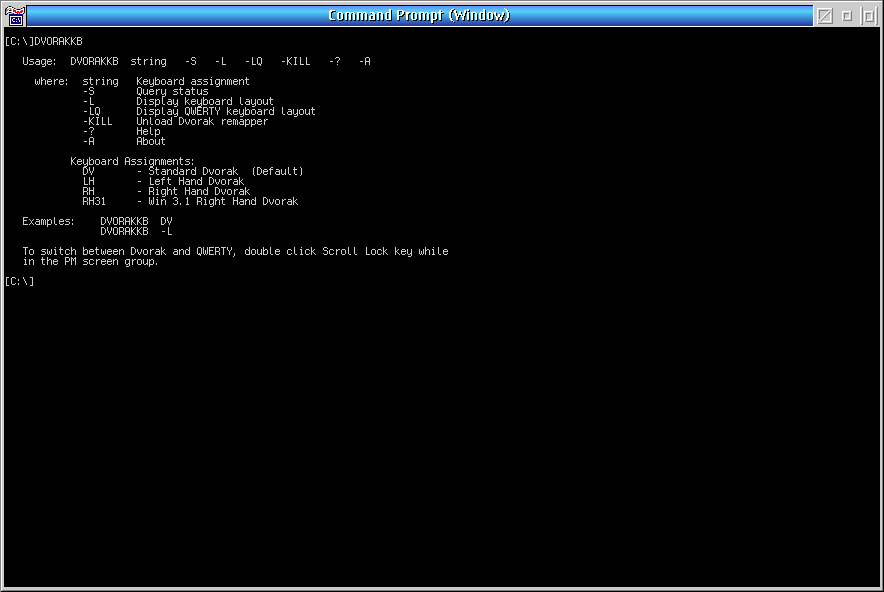
DVORAKKB is a program that remaps the standard 101/102 keyboard (US layout only) to the ANSI standard Dvorak layout. Remaps for all sessions including the Workplace Shell. The left and right hand Dvorak keyboard layouts for the disabled may also be loaded. DVORAKKB runs under OS/2 2.x, OS/2 3.x and OS/2 4.x. To switch between Dvorak and QWERTY keyboard layouts, double click the Scroll Lock key.
A note about the future of ecsoft2.org
ecsoft2.org runs on software (Drupal 7 and PHP 7.4) that reached its end of life years ago and no longer receives security updates. Keeping the site online safely is getting harder.
Giving it a future means migrating it to a current platform — and that is only worth doing if people still use it and want to help keep it alive.
If you care about ecsoft2.org, as a user, a contributor, or someone willing to lend a hand, please ggamba tiscali [dot] it (get in touch) by January 31, 2027.
If no one comes forward by then, the site will be turned into a read-only archive, so that its content stays available.
DVORAKKB
Version:
1.3
Release date:
Friday, 14 February, 1997
Home:
Categories:
License:
- Freeware
Interface:
- VIO

Manual installation
Program is distributed as ZIP package: download to temporary directory and unpack to destination folder. See below for download link(s).
Following ones are the download links for manual installation:
| DVORAKKB v. 1.3 (14/2/1997, International Business Machines Corporation (IBM), Mark Zetts) | Readme/What's new |
Version 1.0 - First release.
Version 1.1 - Fix bug where the left brace produced a right brace.
Version 1.2 - Added option to load original right hand Dvorak layout.
This is the layout used in Windows 3.1 and it fixes
the problem of getting one RH layout for OS/2 and
another for WIN-OS2 applications.
Version 1.3 - Support OS/2 Version 4.0.
Note: Dvorak keyboard support was included in OS/2
Version 4.0. To invoke it, type in at an OS/2
full screen command prompt:
KEYB US DV (Standard Dvorak)
KEYB US DVR (Dvorak right hand)
KEYB US DVL (Dvorak left hand)
To restore the US QWERTY layout, type:
KEYB US
The only advantage of using DVORAKKB is the ability
to quickly switch between the QWERTY and Dvorak
layouts by double clicking the Scroll Lock key. |
 ftp.pc.ibm.com/pub/pccbbs/os2_ews/dvorkb.zip ftp.pc.ibm.com/pub/pccbbs/os2_ews/dvorkb.zip |
local copy
|
Record updated last time on: 25/03/2020 - 08:54


This work is licensed under a Creative Commons Attribution 4.0 International License.
Contact us! (webform or ecsoft2 [dot] orggmail [dot] com (email))
Add new comment