 English
 Italiano
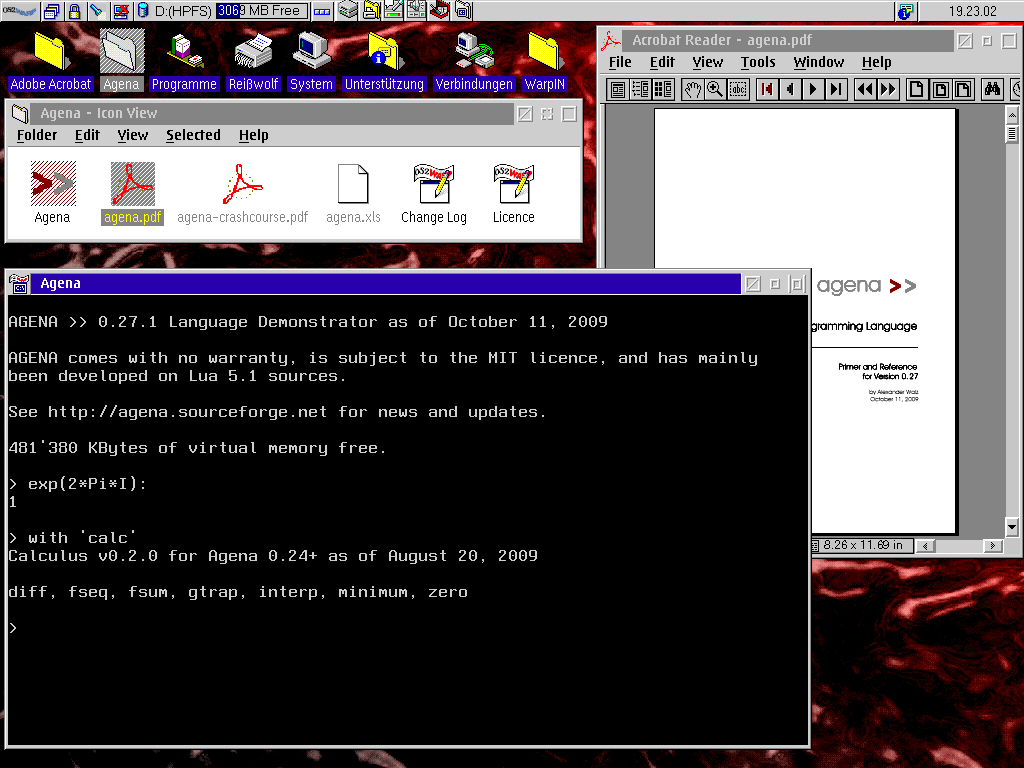
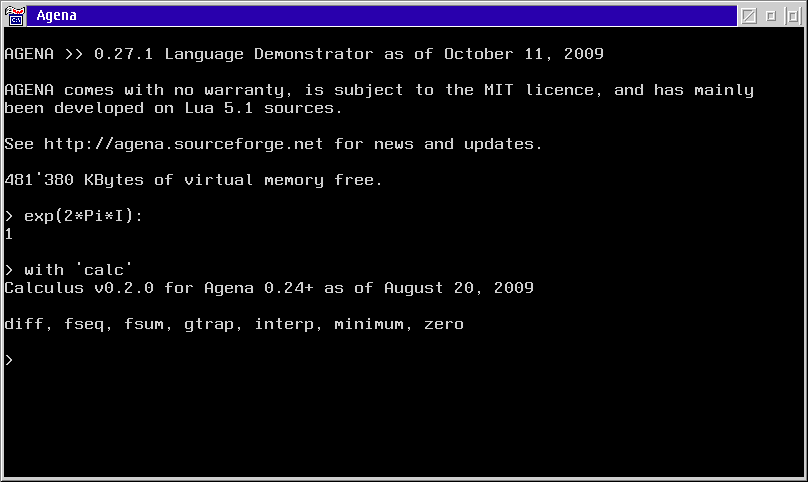
Agena is an easy-to-learn procedural programming language suited for everyday usage. It has been implemented as an interpreter and can be used in scientific, educational, linguistic, and many other applications. Its syntax looks like very simplified Algol 68 with elements taken from Lua and SQL.
A note about the future of ecsoft2.org
ecsoft2.org runs on software (Drupal 7 and PHP 7.4) that reached its end of life years ago and no longer receives security updates. Keeping the site online safely is getting harder.
Giving it a future means migrating it to a current platform — and that is only worth doing if people still use it and want to help keep it alive.
If you care about ecsoft2.org, as a user, a contributor, or someone willing to lend a hand, please ggamba tiscali [dot] it (get in touch) by January 31, 2027.
If no one comes forward by then, the site will be turned into a read-only archive, so that its content stays available.
Agena
Version:
7.12.0
Release date:
Monday, 9 March, 2009
Categories:
License:
- GPL
Interface:
- VIO

Manual installation
Following ones are the download links for manual installation:
| Agena v. 7.12.0 (25/10/2026, Alexander Walz) | Readme/What's new |
agena >>
`The Power of Procedural Programming`
7.12.0 Kerberos, October 25, 2026
- The new `phones` package encodes words phonetically:
`phones.soundex` implements the original, official Soundex algorithm, following the National Archives (NARA)
rules. You can use it by issuing `import phones` before.
> import phones;
> phones.soundex('Washington'):
W252
`phones.phonetiQs` is a variant of Soundex, suited for most languages that use the Latin script and where you
mostly pronounce words as you spell them.
> import phones;
> phones.phonetiQs('Washington'):
WSNKTN
With phonetiQs, you can modify the mapping of phonemes with `phones.setphonetiQs` and query them with
`phones.getphonetiQs`. It also allows to set a different symbol for vowels and change their definition,
with `phones.vowelsymbol`.
- Keyfiles can now contain keys only, without associated data. With ordinary wordlists, this reduces the
file size by around 10 % and searching will also be around 10 % faster:
> keyfile.new('tn.key');
> fh := keyfile.open('tn.key');
> keyfile.start(fh);
> keyfile.write(fh, 'Chattanooga');
> keyfile.write(fh, 'Memphis');
> keyfile.write(fh, 'Nashville');
> keyfile.commit(fh, true);
> keyfile.sync(fh);
> keyfile.read(fh, 'Chattanooga'):
true
> keyfile.close(fh);
- The new function `keyfile.first` sets the cursor to the first record slot and `keyfile.last` to the last one.
- The new low-level function `keyfile.advance` sets the cursor to the next record slot. `keyfile.current`
retrieves the key and - if present - the associated value at the current slot. `keyfile.exists` searches for
a key, setting the cursor to its position if found.
- `keyfile.count` when just counting the total number of entries in a file has been tweaked by 3.5 %.
- New `strings.var` calculates an approximate (heuristic) edit distance between two strings, counting substitutions,
transpositions, insertions, and deletions. It is around 45 percent faster than `strings.dleven`, and has O(1)
vs. O(min(N, M)) memory complexity, but is not as smart.
- The start-up phase has been changed: If Agena finds the environment variable "AGENAPATH" it now checks whether
it points to an existing folder. If it cannot find this folder, it no longer issues an error but continues its
search for a working Agena installation. This spares you from manually deleting the environment variable and
setting 'libname' manually or usinf the -p command-line switch.
- Initialisation of the `strings` library could theoretically crash the interpreter, but this has never been
observed on all the supported and formerly supported platforms. However, this has been fixed.
- This release has been successfully Dr. Memory-tested on Windows and Valgrind-tested on x64 Linux.
- Spell-checked the source files again.
- This release is named after Kerberos, a moon in the Pluto-Charon system. Pluto is the Ninth Planet in our
Solar System. |
 sourceforge.net/projects/agena/files/Binaries/Agena 7.12.0/agena-7.12.0-os2.wpi/download sourceforge.net/projects/agena/files/Binaries/Agena 7.12.0/agena-7.12.0-os2.wpi/download |
||
| Run Agena Scripts Easily (rase) v. 7.11.2 (17/10/2026, Alexander Walz) | Readme/What's new |
rase - Run Agena Scripts Easily in Windows NT 4.0 or later and in OS/2.
Please refer to the explanations in `example.agn`.
For a quick demo, unpack all the files into a new, fresh directory, change into this directory and run the `example.exe` file
in an command shell (Windows) or `example.cmd` (OS/2) as follows:
example 1 2
There is also a utility called `whereis` which searches for a file in a path:
whereis /r /a "agena.*" c:/agena
Another one prints drive information:
drive c:
A script printing information on installed memory:
memory
Finally, cpuinfo prints various information on the CPU:
cpuinfo /a
In your operating system, you may want to add the path to the rase directory to your PATH system environment variable.
Credit: The implementation is based on https://www.cs.usfca.edu/~galles/cs420/lecture/LuaLectures/LuaAndC.html,
written by: Associate Professor David Galles, Department of Computer Science, University of San Francisco, CA 94117.
For compilation hints, check the top of the rase.c source file.
----------------------------------------------------------------
# READ.ME and DEMO Run Agena Scripts Easily (rase) for Windows
/*
This file shows how to execute Agena scripts in Windows NT 4.0 and later without passing the script and its arguments
to the actual Agena interpreter.
We won't call "agena example.agn 1 2" from the commandline, but just enter "example 1 2" in the NT shell.
In OS/2 we use the batch script example.cmd to execute a script.
Please make sure that the following files are now in one and the same directory:
example.agn (or your favourite script filename)
example.exe (Windows only, or your favourite executable filename)
agena.exe (in OS/2 only)
agena.dll (do not change the filename)
library.agn (do not change the filename)
libgcc_s_dw2-1.dll (Windows only, do not change the filename)
libmingwex-4.dll (Windoes only, do not change the filename)
In Windows, rename the following files in this ZIP file to your favourite name:
example.exe -> yourfavouritename.exe
example.agn -> yourfavouritename.agn
In OS/2, rename the following files in this ZIP file to your favourite name:
example.cmd -> yourfavouritename.cmd
example.agn -> yourfavouritename.agn
and edit the *.agn file according to your need. The *.exe or *.cmd file will launch your *.agn script file of the same name.
For a more elobarate script that locates files, links or folders in a directory, check the `whereis.agn` script.
For a script that prints drive information, check the `drive.agn` script. */
print('\nDemo using NO explicit function by referring to the \`args\' table:');
print('-----------------------------------------------------------------\n');
print('Number of arguments:', size(args));
# all arguments (all strings )are available in the args table, including the name of the script at index 1
print('Arguments passed: ', args);
# we convert the command-line arguments to numbers
local x, y := tonumber(args[2]), tonumber(args[3]);
if x :: number and y :: number then
print('Test: ', x & ' minus ' & y & ' is ' & (x - y));
print('Test: ', 'sqrt(' & x & ' + ' & y & ') is ' & sqrt(x + y))
fi;
/* In Windows, we _alternatively_ define a function of the same name as the executable
(w/o the file suffix, `example` in this case). This function will then be called
by the executable `example.exe`.
Just enter the following statement in an NT shell (cmd.com) and see what will happen:
example 1 2
*/
example := proc(?) is # this function will be automatically called by the executable
print('\nDemo using explicit function of same name \& \`nargs\' and the \`varargs\' table:');
print('----------------------------------------------------------------------------\n');
print('Number of arguments:', nargs);
print('Arguments passed: ', ?);
local x, y := tonumber(?[1]), tonumber(?[2]);
if x :: number and y :: number then
print('Test: ', x & ' minus ' & y & ' is ' & (x - y));
print('Test: ', 'sqrt(' & x & ' + ' & y & ') is ' & sqrt(x + y))
fi
end;
/* The output should be:
C:\agena\extract>example 1 2
Demo using NO explicit function by referring to the `args' table:
-----------------------------------------------------------------
Number of arguments: 3
Arguments passed: [example, 1, 2]
Test: 1 minus 2 is -1
Test: sqrt(1 + 2) is 1.7320508075689
Demo using explicit function of same name & `nargs' and the `varargs' table:
----------------------------------------------------------------------------
Number of arguments: 3
Arguments passed: [example, 1, 2]
Test: 1 minus 2 is -1
Test: sqrt(1 + 2) is 1.7320508075689
*/
|
|
sourceforge.net/projects/agena/files/Packages/rase-os2.7_11_2.zip/download |
||
| Agena v. 7.8.10 (21/8/2026, Alexander Walz) | Readme/What's new |
agena >>
`The Power of Procedural Programming`
7.8.10 Phobos, August 21, 2026
- The new function `strings.hirschberg` takes two strings s and t and returns their global alignment in three results:
the edit sequence, the alignment of s and the alignment of t. The function uses the memory-friendly Hirschberg algorithm
which yields a total structural space complexity of strictly O(N + M).
> strings.hirschberg('Alex', 'Axelander'):
=++=+++=! A l ex Axelander
> strings.hirschberg('Axelander', 'Alex'):
=--=---=! Axelander A l ex
- When given the -b, -q, -Q command-line options and with multiple returns, the pretty-printer wrote the last return only, and
this multiple times. The same happened when setting the 'enclose', 'encloseback' or 'enclosedouble' switches to true via a
call to `environ.kernel`. This has all been fixed.
- This release has been successfully Valgrind-tested on x86 Linux. |
|
hobbes.os-2.in/download/os2/dev-4/proglang-4/misc-23/Agena_7-8-10.wpi |
||
| Agena v. 7.8.5 (10/8/2026, Alexander Walz) | ||
|
hobbes.os-2.in/download/os2/dev-4/proglang-4/misc-23/Agena_7-8-5.wpi |
||
| Agena Manual v. 7.12.0 (, Alexander Walz) | ||
|
sourceforge.net/projects/agena/files/Manuals/agena-reference.pdf/download |
||
| Agena source code v. 7.12.0 (Source code, , Alexander Walz) | ||
|
sourceforge.net/projects/agena/files/Sources/agena-7.12.0-src.tar.gz/download |
Record updated last time on: 27/10/2026 - 05:41


This work is licensed under a Creative Commons Attribution 4.0 International License.
Contact us! (webform or ecsoft2 [dot] orggmail [dot] com (email))
Comments
Alexander Walz
Sat, 13/05/2017 - 20:06
Permalink
Hello,
Add new comment