 English
 Italiano
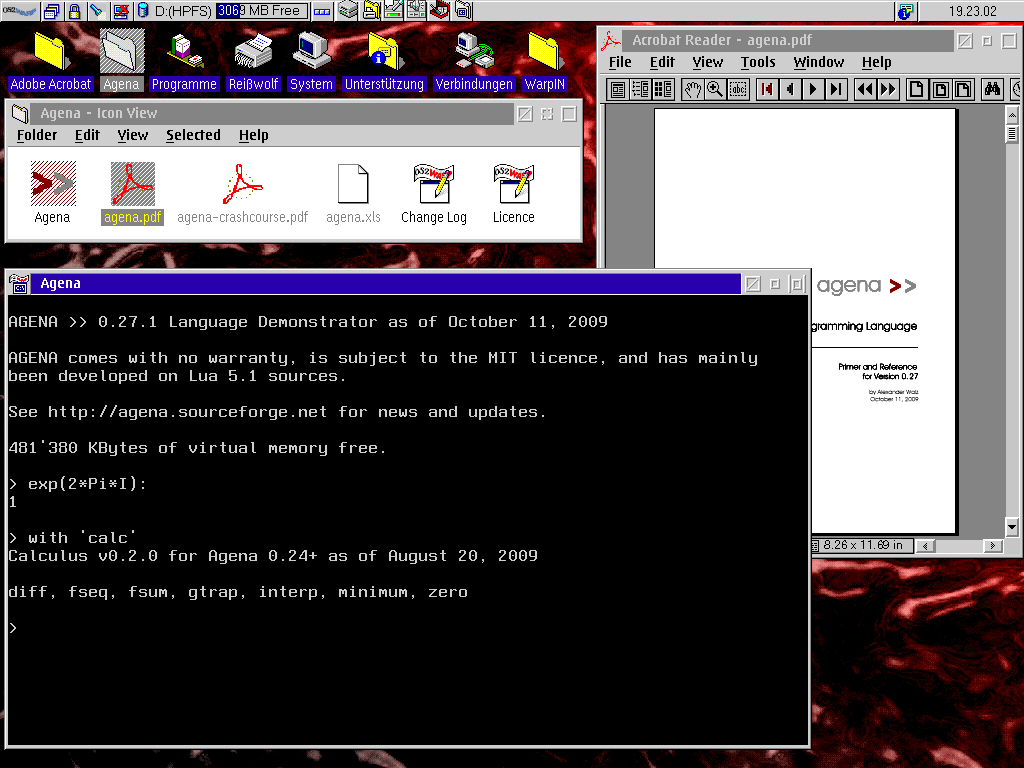
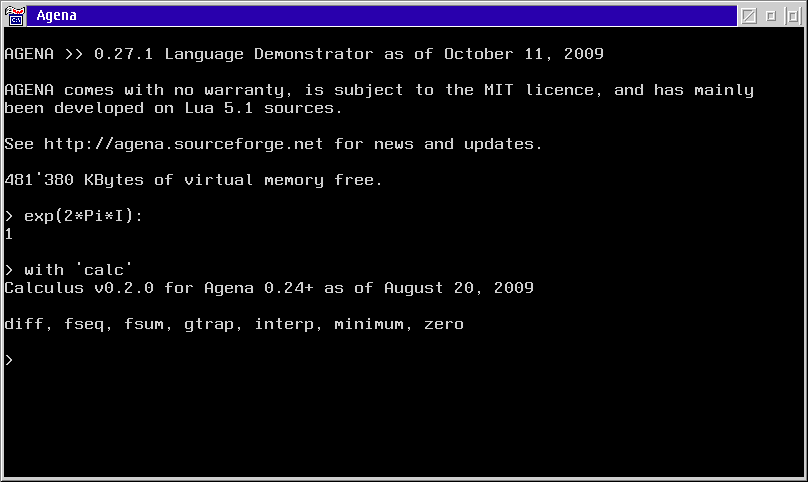
Agena is an easy-to-learn procedural programming language suited for everyday usage. It has been implemented as an interpreter and can be used in scientific, educational, linguistic, and many other applications. Its syntax looks like very simplified Algol 68 with elements taken from Lua and SQL.
A note about the future of ecsoft2.org
ecsoft2.org runs on software (Drupal 7 and PHP 7.4) that reached its end of life years ago and no longer receives security updates. Keeping the site online safely is getting harder.
Giving it a future means migrating it to a current platform — and that is only worth doing if people still use it and want to help keep it alive.
If you care about ecsoft2.org, as a user, a contributor, or someone willing to lend a hand, please ggamba tiscali [dot] it (get in touch) by January 31, 2027.
If no one comes forward by then, the site will be turned into a read-only archive, so that its content stays available.
Agena
Version:
7.11.5
Release date:
Monday, 9 March, 2009
Categories:
License:
- GPL
Interface:
- VIO

Manual installation
Following ones are the download links for manual installation:
| Agena v. 7.11.5 (23/10/2026, Alexander Walz) | Readme/What's new |
agena >>
`The Power of Procedural Programming`
7.11.5 Despina, October 23, 2026
- The initialization start-up phase has been improved by a broader file system search for an Agena installation:
the system now also checks the directory containing the executable and the current working directory, searching
up the respective directory trees to the filesystem root.
This is useful only if you have multiple Agena installations on a drive or you prefer a folder name other than
`agena`, and mostly spares you from manually setting `libname`, either by giving the command-line `-p` switch
at start-up or assigning `libname` at the Agena prompt.
- `aspell.path` when given no argument now returns the built-in dictionary default folder.
- New `aspell.listdicts` returns all the language dictionaries that are currently available along with details.
- In UNIX, `os.findinpath` no longer returns a path with two leading slashes.
7.11.4 Despina, October 21, 2026
- `os.findinpath` now accepts a third argument `true` which will guarantee that the resulting string will never
include a filename.
- In Windows, `os.filename` when given any second argument to retrieve a 8.3 DOS filename did not work correctly.
This has been fixed.
- When given just a drive letter, with or without trailing slashes or backslashes, `os.dirname` and `os.filename`
now behave the same on Windows, DOS and OS/2.
- The underlying function that is called by `os.dirname` and `os.filename` has been simplified and consumes only
roughly half the memory previously needed.
- In OS/2, `aspell.new` did not find the dictionary files out-of-the-box. This has been fixed.
- Agena installers now come with a pre-installed English Aspell dictionary only. You can find all the other
dictionaries on SourceForge at https://sourceforge.net/projects/agena/files/Packages/AspellDicts.zip.
New: The ZIP file also includes binary Australian English and Slovak dictionaries.
- Due to low demand, we are discontinuing the Raspberry Pi, DOS and 32-bit Linux binary editions of Agena. |
 sourceforge.net/projects/agena/files/Binaries/Agena 7.11.5/agena-7.11.5-os2.wpi/download sourceforge.net/projects/agena/files/Binaries/Agena 7.11.5/agena-7.11.5-os2.wpi/download |
||
| Run Agena Scripts Easily (rase) v. 7.11.2 (17/10/2026, Alexander Walz) | Readme/What's new |
rase - Run Agena Scripts Easily in Windows NT 4.0 or later and in OS/2.
Please refer to the explanations in `example.agn`.
For a quick demo, unpack all the files into a new, fresh directory, change into this directory and run the `example.exe` file
in an command shell (Windows) or `example.cmd` (OS/2) as follows:
example 1 2
There is also a utility called `whereis` which searches for a file in a path:
whereis /r /a "agena.*" c:/agena
Another one prints drive information:
drive c:
A script printing information on installed memory:
memory
Finally, cpuinfo prints various information on the CPU:
cpuinfo /a
In your operating system, you may want to add the path to the rase directory to your PATH system environment variable.
Credit: The implementation is based on https://www.cs.usfca.edu/~galles/cs420/lecture/LuaLectures/LuaAndC.html,
written by: Associate Professor David Galles, Department of Computer Science, University of San Francisco, CA 94117.
For compilation hints, check the top of the rase.c source file.
----------------------------------------------------------------
# READ.ME and DEMO Run Agena Scripts Easily (rase) for Windows
/*
This file shows how to execute Agena scripts in Windows NT 4.0 and later without passing the script and its arguments
to the actual Agena interpreter.
We won't call "agena example.agn 1 2" from the commandline, but just enter "example 1 2" in the NT shell.
In OS/2 we use the batch script example.cmd to execute a script.
Please make sure that the following files are now in one and the same directory:
example.agn (or your favourite script filename)
example.exe (Windows only, or your favourite executable filename)
agena.exe (in OS/2 only)
agena.dll (do not change the filename)
library.agn (do not change the filename)
libgcc_s_dw2-1.dll (Windows only, do not change the filename)
libmingwex-4.dll (Windoes only, do not change the filename)
In Windows, rename the following files in this ZIP file to your favourite name:
example.exe -> yourfavouritename.exe
example.agn -> yourfavouritename.agn
In OS/2, rename the following files in this ZIP file to your favourite name:
example.cmd -> yourfavouritename.cmd
example.agn -> yourfavouritename.agn
and edit the *.agn file according to your need. The *.exe or *.cmd file will launch your *.agn script file of the same name.
For a more elobarate script that locates files, links or folders in a directory, check the `whereis.agn` script.
For a script that prints drive information, check the `drive.agn` script. */
print('\nDemo using NO explicit function by referring to the \`args\' table:');
print('-----------------------------------------------------------------\n');
print('Number of arguments:', size(args));
# all arguments (all strings )are available in the args table, including the name of the script at index 1
print('Arguments passed: ', args);
# we convert the command-line arguments to numbers
local x, y := tonumber(args[2]), tonumber(args[3]);
if x :: number and y :: number then
print('Test: ', x & ' minus ' & y & ' is ' & (x - y));
print('Test: ', 'sqrt(' & x & ' + ' & y & ') is ' & sqrt(x + y))
fi;
/* In Windows, we _alternatively_ define a function of the same name as the executable
(w/o the file suffix, `example` in this case). This function will then be called
by the executable `example.exe`.
Just enter the following statement in an NT shell (cmd.com) and see what will happen:
example 1 2
*/
example := proc(?) is # this function will be automatically called by the executable
print('\nDemo using explicit function of same name \& \`nargs\' and the \`varargs\' table:');
print('----------------------------------------------------------------------------\n');
print('Number of arguments:', nargs);
print('Arguments passed: ', ?);
local x, y := tonumber(?[1]), tonumber(?[2]);
if x :: number and y :: number then
print('Test: ', x & ' minus ' & y & ' is ' & (x - y));
print('Test: ', 'sqrt(' & x & ' + ' & y & ') is ' & sqrt(x + y))
fi
end;
/* The output should be:
C:\agena\extract>example 1 2
Demo using NO explicit function by referring to the `args' table:
-----------------------------------------------------------------
Number of arguments: 3
Arguments passed: [example, 1, 2]
Test: 1 minus 2 is -1
Test: sqrt(1 + 2) is 1.7320508075689
Demo using explicit function of same name & `nargs' and the `varargs' table:
----------------------------------------------------------------------------
Number of arguments: 3
Arguments passed: [example, 1, 2]
Test: 1 minus 2 is -1
Test: sqrt(1 + 2) is 1.7320508075689
*/
|
|
sourceforge.net/projects/agena/files/Packages/rase-os2.7_11_2.zip/download |
||
| Agena v. 7.8.10 (21/8/2026, Alexander Walz) | Readme/What's new |
agena >>
`The Power of Procedural Programming`
7.8.10 Phobos, August 21, 2026
- The new function `strings.hirschberg` takes two strings s and t and returns their global alignment in three results:
the edit sequence, the alignment of s and the alignment of t. The function uses the memory-friendly Hirschberg algorithm
which yields a total structural space complexity of strictly O(N + M).
> strings.hirschberg('Alex', 'Axelander'):
=++=+++=! A l ex Axelander
> strings.hirschberg('Axelander', 'Alex'):
=--=---=! Axelander A l ex
- When given the -b, -q, -Q command-line options and with multiple returns, the pretty-printer wrote the last return only, and
this multiple times. The same happened when setting the 'enclose', 'encloseback' or 'enclosedouble' switches to true via a
call to `environ.kernel`. This has all been fixed.
- This release has been successfully Valgrind-tested on x86 Linux. |
|
hobbes.os-2.in/download/os2/dev-4/proglang-4/misc-23/Agena_7-8-10.wpi |
||
| Agena v. 7.8.5 (10/8/2026, Alexander Walz) | ||
|
hobbes.os-2.in/download/os2/dev-4/proglang-4/misc-23/Agena_7-8-5.wpi |
||
| Agena Manual v. 7.11.5 (, Alexander Walz) | ||
|
sourceforge.net/projects/agena/files/Manuals/agena-reference.pdf/download |
||
| Agena source code v. 7.11.5 (Source code, , Alexander Walz) | ||
|
sourceforge.net/projects/agena/files/Sources/agena-7.11.5-src.tar.gz/download |
Record updated last time on: 24/10/2026 - 04:41


This work is licensed under a Creative Commons Attribution 4.0 International License.
Contact us! (webform or ecsoft2 [dot] orggmail [dot] com (email))
Comments
Alexander Walz
Sat, 13/05/2017 - 20:06
Permalink
Hello,
Add new comment