 English
 Italiano
Stuck pixel-fixing software. Tries to repair stuck, i.e. not dead, pixels by rapidly turning selected pixels on and off.
A note about the future of ecsoft2.org
ecsoft2.org runs on software (Drupal 7 and PHP 7.4) that reached its end of life years ago and no longer receives security updates. Keeping the site online safely is getting harder.
Giving it a future means migrating it to a current platform — and that is only worth doing if people still use it and want to help keep it alive.
If you care about ecsoft2.org, as a user, a contributor, or someone willing to lend a hand, please ggamba tiscali [dot] it (get in touch) by January 31, 2027.
If no one comes forward by then, the site will be turned into a read-only archive, so that its content stays available.
Stuck pixel-fixing software
Version:
1.0
Release date:
Monday, 23 March, 2015
Categories:
License:
- Freeware
Interface:
- VIO
Manual installation
Program is distributed as ZIP package: download to temporary directory and unpack to destination folder.
Following ones are the download links for manual installation:
| Stuck pixel-fixing software v. 1.1 (12/12/2018) | ||
 hobbes.nmsu.edu/download/pub/os2/util/misc/unstuck11.zip hobbes.nmsu.edu/download/pub/os2/util/misc/unstuck11.zip |
local copy
|
|
| Stuck pixel-fixing software v. 1.0 (23/3/2015) | Readme/What's new |
UnStuck.EXE - One way to fix a stuck pixel on a LCD monitor
Usage:
UNSTUCK.EXE [[<x> <y>] [z]]
x : optional, column number, range 1 - width of the screen in characters
y : optional, row number, range 1 - height of the screen in characters
z : optional, number of seconds before it stops, range 1 - 3600
Examples:
UNSTUCK.EXE
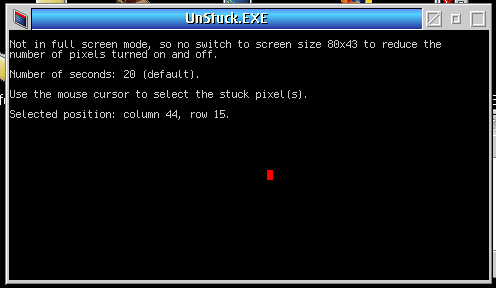
Use the mouse to select the stuck pixel(s). The number of seconds is the
default of 20 seconds.
UNSTUCK.EXE 300
Use the mouse to select the stuck pixel(s). The number of seconds is 300
or 5 minutes.
UNSTUCK.EXE 1 1 20
The position is column 1, row 1 (top left corner of the screen), and the
number of seconds is 20.
How this should work:
According to http://www.wikihow.com/Fix-a-Stuck-Pixel-on-an-LCD-Monitor it's a
method to fix stuck pixels on a LCD monitor.
A pixel can be dead or stuck. A stuck pixel usually shows a color. Dead pixels
are often black or white. First check if the warranty is expired. The hardware
methods include a specific device, applying pressure or heat.
This is a pixel-fixing software method. Stuck pixels can often be re-energized
by rapidly turning them on and off.
Pixels will be turned on and off rapidly, so the CPU load may be 100%. You can
press <Ctrl-C> to stop it. I cannot mention a number of seconds. But 5 minutes
is perhaps quite long. On the other hand flashing videos may last an hour. The
method is untested, because I don't have stuck pixels.
Installation:
Stuck pixels should be quite rare, but an INSTALL.CMD is included. Full screen
is recommended, because that may torture less pixels. It will try to switch to
80x43 to reduce the number of pixels per character. |
|
hobbes.nmsu.edu/download/pub/os2/util/misc/unstuck10.zip |
local copy
|
Record updated last time on: 04/12/2019 - 15:04


This work is licensed under a Creative Commons Attribution 4.0 International License.
Contact us! (webform or ecsoft2 [dot] orggmail [dot] com (email))
Add new comment