|
DOSBox-X v. 2026.06.11 (WarpIN Installer, 11/6/2026, Jochen Schäfer) |
Readme/What's new |
_____________________________________________________________________________
Information
_____________________________________________________________________________
DOSBox-X is a DOS emulator that uses the SDL library which makes DOSBox-X very
easy to port to different platforms. DOSBox-X has already been ported to
many different platforms, such as Windows, BeOS, Linux, MacOS X etc.
DOSBox-X also emulates CPU:286/386 realmode/protected mode, Directory
FileSystem/XMS/EMS, Tandy/Hercules/CGA/EGA/VGA/VESA graphics, a
SoundBlaster/Gravis Ultra Sound card for excellent sound compatibility
with older games etc.
You can "re-live" the good old days with the help of DOSBox-X, it can run
plenty of the old classics that don't run on your new computer!
DOSBox-X is totally free of charge and open source.
_____________________________________________________________________________
License
_____________________________________________________________________________
GNU General Public License (GPL) version 2.
_____________________________________________________________________________
OS/2 port
_____________________________________________________________________________
OS/2 package maintained by Jochen Sch„fer.
Icons provided by David Graser.
Installation scripts and packaging by Andreas Schnellbacher.
If you have problems with running DOSBOX-X, please contact me:
os2 (at) joschs-robotics.de
_____________________________________________________________________________
Web sites
_____________________________________________________________________________
DOSBox/2 for OS/2 and eCS Web Site:
http://www.joschs-robotics.de/dosbox/
DOSBox Official Web Site:
http://dosbox.sourceforge.net/
_____________________________________________________________________________
Installation
_____________________________________________________________________________
The WarpIN installation is complex and feature-rich for maximal
convenience. Usually a log file is created for easier error-catching.
__________________________________________________________________________
System DLLs
Used system DLLs are checked for existence. On the WarpIN 'DLL detection'
page, all DLLs and their states are listed.
When missing system DLLs are detected, the package 'DOSBox/2 Support DLLs'
is activated on the Packages page. Missing DLLs are then installed by a
call to yum. That requires an RPM/YUM installation.
This package doesn't provide the support DLLs anymore. If you didn't
already install the DLLs, or don't use RPM/YUM, you can fetch the DLLs
from here:
http://rpm.netlabs.org/release/00/zip
For maximal compatibility with other applications, please don't use
outdated DLLs.
__________________________________________________________________________
Update
The current version can be installed over an old one without
uninstallation.
The previously installed language package is selected automatically. Note
that this applies only to systems where at least version 0.74.3 is
installed.
On updating an existing version, old files that don't stem from the
current installation, are deleted. That applies also to system DLLs within
the DOSBox installation directory. (Old versions provided the installation
of all used system DLLs.)
__________________________________________________________________________
Language setup
On selecting and installing a language package, the configuration file
dosbox.conf is automatically edited. For more details, see the section
'Basic configuration' below.
Note that this file is copied from the eng subdirectory to the
installation directory, if it doesn't exist.
When multiple languages are selected, then the last one in the list wins.
__________________________________________________________________________
Verbosity and Configuration, Installation and Distribution (CID)
The verbosity during installation can be controlled in three ways: Logfile
output, messages and error beeps. For configuration, environment variables
can be used:
Values
Environment var. Default CID
DOSBOX_INSTCID 0 1 (1 sets all other values)
DOSBOX_INSTLOG 1 1
DOSBOX_INSTMSG 1 0
DOSBOX_INSTBEEP 0 0
The default installation method is manually. Therefore both log file
output and messages are activated. 'Messages' means that in case of an
error, message boxes pop up that need interaction. For an automated (CID)
installation, these messages are unwanted. To achieve that, set the
environment variable
DOSBOX_INSTCID=1
__________________________________________________________________________
Log files
The log file is named dosbox_inst.log. It is usually written to the
directory pointed to by the environment variable LOGFILES. Its value is
usually:
<boot_drive>\var\log
If that directory doesn't exist, it is created in DOSBox\inst. If the
DOSBox installation directory is not found, it is created in the path of
the WarpIN archive.
Three generations of LOG files are kept:
dosbox_inst.log (newest one)
dosbox_inst_2.log
dosbox_inst_3.log
__________________________________________________________________________
REXX version
The installation was tested with Classic REXX. It may lead to
unpredictable results when Object REXX is used.
_____________________________________________________________________________
Basic configuration
_____________________________________________________________________________
For configuration, the file 'dosbox.conf' in the directory of 'dosbox.exe'
(dosbox directory) can be used. For OS/2, an English version is copied
from the 'eng' subdirectory to the dosbox directory, but only, if it
doesn't already exist.
__________________________________________________________________________
Language
To activate one of the optionally installed .lng or .lang files, ensure
that dosbox.conf contains the following entry:
[dosbox]
language=<language_filename>
<language_filename> should be replaced by e.g. 'deu.lng'. This file should
either be placed in the directory of 'dosbox.exe' or the 'language' value
must also include the subpath or full path of that .lng file. This entry
must match and the file must exist. Otherwise DOSBox creates a trap on its
start.
Alternatively, you can also use the 'dosbox.exe' parameters:
-lang <language_filename>
-conf <config_filename>
__________________________________________________________________________
Keyboard
In the OS/2 version, the keyboard layout is not selected automatically.
The 'auto' value for 'keyboardlayout', which is the default, doesn't seem
to work:
[dos]
keyboardlayout=auto
It can be changed by changing the 'keyboardlayout' value. E.g. for using
German keyboard layout with the default codepage 858 (similar to 850, but
contains the Euro sign), add this to 'dosbox.conf':
[dos]
keyboardlayout=gr
Alternatively, it can be changed with the 'keyb' command:
[autoexec]
keyb gr
Some usual keyboard layout values for existing translations:
us eng English
gr deu German
fr fra French
it ita Italian
no nor Norwegian
ru rus Russian
cz cze Czech
dk dan Danish
es esp Spanish
fi fin Finnish
hu hun Hungarian
kor Korean (DBCS)
nl ned Dutch
pl pol Polish
po prt Portuguese
tr tur Turkish
See the table in 'KEYB\layouts.txt', column 'File' for more keyboard
layouts and section '8. Keyboard Layout' in 'README'.
Also bundled is mKEYB, a replacement of KEYB, which has the keyboard
tables compiled in. See the help file in 'mkeyb\README.TXT'.
__________________________________________________________________________
Configuration file with NLS comments
A recent and complete config file with NLS comments can be created as a
starting point:
o Add the language file and the keyboard layout values to
'dosbox.conf', as described above.
o Start 'dosbox.exe' with an existing 'dosbox.conf'.
o From the host system, rename 'dosbox.conf' to 'dosbox.conf.bak'.
o Export the current configuration, together with NLS comments to the
dosbox directory:
config -wcp dosbox.conf
This new file contains the values of the renamed file 'dosbox.conf'
from the startup of DOSBox and NLS comments, if the 'language'
value was configured before.
You can also use one of the examples in the NLS subdirectories as
template.
__________________________________________________________________________
Mount host directories as local drives
For mounting host directories, use the mount command:
[autoexec]
mount <local_drive_letter> <host_dir>
Example:
mount D F:\Apps\DOSBox
__________________________________________________________________________
Further information
See the detailed descriptions in 'README', sections '4. Internal Programs'
and '3. Command Line Parameters'.
|
 www.joschs-robotics.de/dosbox/dosbox-x_2026-06-11.wpi www.joschs-robotics.de/dosbox/dosbox-x_2026-06-11.wpi |
|
|
DOSBox-X v. 2026.06.11 (11/6/2026, Jochen Schäfer) |
Readme/What's new |
_____________________________________________________________________________
Information
_____________________________________________________________________________
DOSBox-X is a DOS emulator that uses the SDL library which makes DOSBox-X very
easy to port to different platforms. DOSBox-X has already been ported to
many different platforms, such as Windows, BeOS, Linux, MacOS X etc.
DOSBox-X also emulates CPU:286/386 realmode/protected mode, Directory
FileSystem/XMS/EMS, Tandy/Hercules/CGA/EGA/VGA/VESA graphics, a
SoundBlaster/Gravis Ultra Sound card for excellent sound compatibility
with older games etc.
You can "re-live" the good old days with the help of DOSBox-X, it can run
plenty of the old classics that don't run on your new computer!
DOSBox-X is totally free of charge and open source.
_____________________________________________________________________________
License
_____________________________________________________________________________
GNU General Public License (GPL) version 2.
_____________________________________________________________________________
OS/2 port
_____________________________________________________________________________
OS/2 package maintained by Jochen Sch„fer.
Icons provided by David Graser.
Installation scripts and packaging by Andreas Schnellbacher.
If you have problems with running DOSBOX-X, please contact me:
os2 (at) joschs-robotics.de
_____________________________________________________________________________
Web sites
_____________________________________________________________________________
DOSBox/2 for OS/2 and eCS Web Site:
http://www.joschs-robotics.de/dosbox/
DOSBox Official Web Site:
http://dosbox.sourceforge.net/
_____________________________________________________________________________
Installation
_____________________________________________________________________________
The WarpIN installation is complex and feature-rich for maximal
convenience. Usually a log file is created for easier error-catching.
__________________________________________________________________________
System DLLs
Used system DLLs are checked for existence. On the WarpIN 'DLL detection'
page, all DLLs and their states are listed.
When missing system DLLs are detected, the package 'DOSBox/2 Support DLLs'
is activated on the Packages page. Missing DLLs are then installed by a
call to yum. That requires an RPM/YUM installation.
This package doesn't provide the support DLLs anymore. If you didn't
already install the DLLs, or don't use RPM/YUM, you can fetch the DLLs
from here:
http://rpm.netlabs.org/release/00/zip
For maximal compatibility with other applications, please don't use
outdated DLLs.
__________________________________________________________________________
Update
The current version can be installed over an old one without
uninstallation.
The previously installed language package is selected automatically. Note
that this applies only to systems where at least version 0.74.3 is
installed.
On updating an existing version, old files that don't stem from the
current installation, are deleted. That applies also to system DLLs within
the DOSBox installation directory. (Old versions provided the installation
of all used system DLLs.)
__________________________________________________________________________
Language setup
On selecting and installing a language package, the configuration file
dosbox.conf is automatically edited. For more details, see the section
'Basic configuration' below.
Note that this file is copied from the eng subdirectory to the
installation directory, if it doesn't exist.
When multiple languages are selected, then the last one in the list wins.
__________________________________________________________________________
Verbosity and Configuration, Installation and Distribution (CID)
The verbosity during installation can be controlled in three ways: Logfile
output, messages and error beeps. For configuration, environment variables
can be used:
Values
Environment var. Default CID
DOSBOX_INSTCID 0 1 (1 sets all other values)
DOSBOX_INSTLOG 1 1
DOSBOX_INSTMSG 1 0
DOSBOX_INSTBEEP 0 0
The default installation method is manually. Therefore both log file
output and messages are activated. 'Messages' means that in case of an
error, message boxes pop up that need interaction. For an automated (CID)
installation, these messages are unwanted. To achieve that, set the
environment variable
DOSBOX_INSTCID=1
__________________________________________________________________________
Log files
The log file is named dosbox_inst.log. It is usually written to the
directory pointed to by the environment variable LOGFILES. Its value is
usually:
<boot_drive>\var\log
If that directory doesn't exist, it is created in DOSBox\inst. If the
DOSBox installation directory is not found, it is created in the path of
the WarpIN archive.
Three generations of LOG files are kept:
dosbox_inst.log (newest one)
dosbox_inst_2.log
dosbox_inst_3.log
__________________________________________________________________________
REXX version
The installation was tested with Classic REXX. It may lead to
unpredictable results when Object REXX is used.
_____________________________________________________________________________
Basic configuration
_____________________________________________________________________________
For configuration, the file 'dosbox.conf' in the directory of 'dosbox.exe'
(dosbox directory) can be used. For OS/2, an English version is copied
from the 'eng' subdirectory to the dosbox directory, but only, if it
doesn't already exist.
__________________________________________________________________________
Language
To activate one of the optionally installed .lng or .lang files, ensure
that dosbox.conf contains the following entry:
[dosbox]
language=<language_filename>
<language_filename> should be replaced by e.g. 'deu.lng'. This file should
either be placed in the directory of 'dosbox.exe' or the 'language' value
must also include the subpath or full path of that .lng file. This entry
must match and the file must exist. Otherwise DOSBox creates a trap on its
start.
Alternatively, you can also use the 'dosbox.exe' parameters:
-lang <language_filename>
-conf <config_filename>
__________________________________________________________________________
Keyboard
In the OS/2 version, the keyboard layout is not selected automatically.
The 'auto' value for 'keyboardlayout', which is the default, doesn't seem
to work:
[dos]
keyboardlayout=auto
It can be changed by changing the 'keyboardlayout' value. E.g. for using
German keyboard layout with the default codepage 858 (similar to 850, but
contains the Euro sign), add this to 'dosbox.conf':
[dos]
keyboardlayout=gr
Alternatively, it can be changed with the 'keyb' command:
[autoexec]
keyb gr
Some usual keyboard layout values for existing translations:
us eng English
gr deu German
fr fra French
it ita Italian
no nor Norwegian
ru rus Russian
cz cze Czech
dk dan Danish
es esp Spanish
fi fin Finnish
hu hun Hungarian
kor Korean (DBCS)
nl ned Dutch
pl pol Polish
po prt Portuguese
tr tur Turkish
See the table in 'KEYB\layouts.txt', column 'File' for more keyboard
layouts and section '8. Keyboard Layout' in 'README'.
Also bundled is mKEYB, a replacement of KEYB, which has the keyboard
tables compiled in. See the help file in 'mkeyb\README.TXT'.
__________________________________________________________________________
Configuration file with NLS comments
A recent and complete config file with NLS comments can be created as a
starting point:
o Add the language file and the keyboard layout values to
'dosbox.conf', as described above.
o Start 'dosbox.exe' with an existing 'dosbox.conf'.
o From the host system, rename 'dosbox.conf' to 'dosbox.conf.bak'.
o Export the current configuration, together with NLS comments to the
dosbox directory:
config -wcp dosbox.conf
This new file contains the values of the renamed file 'dosbox.conf'
from the startup of DOSBox and NLS comments, if the 'language'
value was configured before.
You can also use one of the examples in the NLS subdirectories as
template.
__________________________________________________________________________
Mount host directories as local drives
For mounting host directories, use the mount command:
[autoexec]
mount <local_drive_letter> <host_dir>
Example:
mount D F:\Apps\DOSBox
__________________________________________________________________________
Further information
See the detailed descriptions in 'README', sections '4. Internal Programs'
and '3. Command Line Parameters'.
|
|
www.joschs-robotics.de/dosbox/dosbox-x_2026-06-11.zip |
|
|
DOSBox-X v. 2026.06.11 (WarpIN Installer, 11/6/2026, Jochen Schäfer) |
Readme/What's new |
_____________________________________________________________________________
Information
_____________________________________________________________________________
DOSBox-X is a DOS emulator that uses the SDL library which makes DOSBox-X very
easy to port to different platforms. DOSBox-X has already been ported to
many different platforms, such as Windows, BeOS, Linux, MacOS X etc.
DOSBox-X also emulates CPU:286/386 realmode/protected mode, Directory
FileSystem/XMS/EMS, Tandy/Hercules/CGA/EGA/VGA/VESA graphics, a
SoundBlaster/Gravis Ultra Sound card for excellent sound compatibility
with older games etc.
You can "re-live" the good old days with the help of DOSBox-X, it can run
plenty of the old classics that don't run on your new computer!
DOSBox-X is totally free of charge and open source.
_____________________________________________________________________________
License
_____________________________________________________________________________
GNU General Public License (GPL) version 2.
_____________________________________________________________________________
OS/2 port
_____________________________________________________________________________
OS/2 package maintained by Jochen Sch„fer.
Icons provided by David Graser.
Installation scripts and packaging by Andreas Schnellbacher.
If you have problems with running DOSBOX-X, please contact me:
os2 (at) joschs-robotics.de
_____________________________________________________________________________
Web sites
_____________________________________________________________________________
DOSBox/2 for OS/2 and eCS Web Site:
http://www.joschs-robotics.de/dosbox/
DOSBox Official Web Site:
http://dosbox.sourceforge.net/
_____________________________________________________________________________
Installation
_____________________________________________________________________________
The WarpIN installation is complex and feature-rich for maximal
convenience. Usually a log file is created for easier error-catching.
__________________________________________________________________________
System DLLs
Used system DLLs are checked for existence. On the WarpIN 'DLL detection'
page, all DLLs and their states are listed.
When missing system DLLs are detected, the package 'DOSBox/2 Support DLLs'
is activated on the Packages page. Missing DLLs are then installed by a
call to yum. That requires an RPM/YUM installation.
This package doesn't provide the support DLLs anymore. If you didn't
already install the DLLs, or don't use RPM/YUM, you can fetch the DLLs
from here:
http://rpm.netlabs.org/release/00/zip
For maximal compatibility with other applications, please don't use
outdated DLLs.
__________________________________________________________________________
Update
The current version can be installed over an old one without
uninstallation.
The previously installed language package is selected automatically. Note
that this applies only to systems where at least version 0.74.3 is
installed.
On updating an existing version, old files that don't stem from the
current installation, are deleted. That applies also to system DLLs within
the DOSBox installation directory. (Old versions provided the installation
of all used system DLLs.)
__________________________________________________________________________
Language setup
On selecting and installing a language package, the configuration file
dosbox.conf is automatically edited. For more details, see the section
'Basic configuration' below.
Note that this file is copied from the eng subdirectory to the
installation directory, if it doesn't exist.
When multiple languages are selected, then the last one in the list wins.
__________________________________________________________________________
Verbosity and Configuration, Installation and Distribution (CID)
The verbosity during installation can be controlled in three ways: Logfile
output, messages and error beeps. For configuration, environment variables
can be used:
Values
Environment var. Default CID
DOSBOX_INSTCID 0 1 (1 sets all other values)
DOSBOX_INSTLOG 1 1
DOSBOX_INSTMSG 1 0
DOSBOX_INSTBEEP 0 0
The default installation method is manually. Therefore both log file
output and messages are activated. 'Messages' means that in case of an
error, message boxes pop up that need interaction. For an automated (CID)
installation, these messages are unwanted. To achieve that, set the
environment variable
DOSBOX_INSTCID=1
__________________________________________________________________________
Log files
The log file is named dosbox_inst.log. It is usually written to the
directory pointed to by the environment variable LOGFILES. Its value is
usually:
<boot_drive>\var\log
If that directory doesn't exist, it is created in DOSBox\inst. If the
DOSBox installation directory is not found, it is created in the path of
the WarpIN archive.
Three generations of LOG files are kept:
dosbox_inst.log (newest one)
dosbox_inst_2.log
dosbox_inst_3.log
__________________________________________________________________________
REXX version
The installation was tested with Classic REXX. It may lead to
unpredictable results when Object REXX is used.
_____________________________________________________________________________
Basic configuration
_____________________________________________________________________________
For configuration, the file 'dosbox.conf' in the directory of 'dosbox.exe'
(dosbox directory) can be used. For OS/2, an English version is copied
from the 'eng' subdirectory to the dosbox directory, but only, if it
doesn't already exist.
__________________________________________________________________________
Language
To activate one of the optionally installed .lng or .lang files, ensure
that dosbox.conf contains the following entry:
[dosbox]
language=<language_filename>
<language_filename> should be replaced by e.g. 'deu.lng'. This file should
either be placed in the directory of 'dosbox.exe' or the 'language' value
must also include the subpath or full path of that .lng file. This entry
must match and the file must exist. Otherwise DOSBox creates a trap on its
start.
Alternatively, you can also use the 'dosbox.exe' parameters:
-lang <language_filename>
-conf <config_filename>
__________________________________________________________________________
Keyboard
In the OS/2 version, the keyboard layout is not selected automatically.
The 'auto' value for 'keyboardlayout', which is the default, doesn't seem
to work:
[dos]
keyboardlayout=auto
It can be changed by changing the 'keyboardlayout' value. E.g. for using
German keyboard layout with the default codepage 858 (similar to 850, but
contains the Euro sign), add this to 'dosbox.conf':
[dos]
keyboardlayout=gr
Alternatively, it can be changed with the 'keyb' command:
[autoexec]
keyb gr
Some usual keyboard layout values for existing translations:
us eng English
gr deu German
fr fra French
it ita Italian
no nor Norwegian
ru rus Russian
cz cze Czech
dk dan Danish
es esp Spanish
fi fin Finnish
hu hun Hungarian
kor Korean (DBCS)
nl ned Dutch
pl pol Polish
po prt Portuguese
tr tur Turkish
See the table in 'KEYB\layouts.txt', column 'File' for more keyboard
layouts and section '8. Keyboard Layout' in 'README'.
Also bundled is mKEYB, a replacement of KEYB, which has the keyboard
tables compiled in. See the help file in 'mkeyb\README.TXT'.
__________________________________________________________________________
Configuration file with NLS comments
A recent and complete config file with NLS comments can be created as a
starting point:
o Add the language file and the keyboard layout values to
'dosbox.conf', as described above.
o Start 'dosbox.exe' with an existing 'dosbox.conf'.
o From the host system, rename 'dosbox.conf' to 'dosbox.conf.bak'.
o Export the current configuration, together with NLS comments to the
dosbox directory:
config -wcp dosbox.conf
This new file contains the values of the renamed file 'dosbox.conf'
from the startup of DOSBox and NLS comments, if the 'language'
value was configured before.
You can also use one of the examples in the NLS subdirectories as
template.
__________________________________________________________________________
Mount host directories as local drives
For mounting host directories, use the mount command:
[autoexec]
mount <local_drive_letter> <host_dir>
Example:
mount D F:\Apps\DOSBox
__________________________________________________________________________
Further information
See the detailed descriptions in 'README', sections '4. Internal Programs'
and '3. Command Line Parameters'.
|
|
hobbes.os-2.in/download/os2/apps/emulator-3/DOSBox-X_2026-06-11.wpi |
|
|
DOSBox-X v. 2026.02.10 (10/2/2026, Jochen Schäfer) |
Readme/What's new |
_____________________________________________________________________________
Information
_____________________________________________________________________________
DOSBox-X is a DOS emulator that uses the SDL library which makes DOSBox-X very
easy to port to different platforms. DOSBox-X has already been ported to
many different platforms, such as Windows, BeOS, Linux, MacOS X etc.
DOSBox-X also emulates CPU:286/386 realmode/protected mode, Directory
FileSystem/XMS/EMS, Tandy/Hercules/CGA/EGA/VGA/VESA graphics, a
SoundBlaster/Gravis Ultra Sound card for excellent sound compatibility
with older games etc.
You can "re-live" the good old days with the help of DOSBox-X, it can run
plenty of the old classics that don't run on your new computer!
DOSBox-X is totally free of charge and open source.
_____________________________________________________________________________
License
_____________________________________________________________________________
GNU General Public License (GPL) version 2.
_____________________________________________________________________________
OS/2 port
_____________________________________________________________________________
OS/2 package maintained by Jochen Schäfer.
Icons provided by David Graser.
Installation scripts and packaging by Andreas Schnellbacher.
If you have problems with running DOSBOX-X, please contact me:
os2 (at) joschs-robotics.de
_____________________________________________________________________________
Web sites
_____________________________________________________________________________
DOSBox/2 for OS/2 and eCS Web Site:
http://www.joschs-robotics.de/dosbox/
DOSBox Official Web Site:
http://dosbox.sourceforge.net/
_____________________________________________________________________________
Installation
_____________________________________________________________________________
The WarpIN installation is complex and feature-rich for maximal
convenience. Usually a log file is created for easier error-catching.
__________________________________________________________________________
System DLLs
Used system DLLs are checked for existence. On the WarpIN 'DLL detection'
page, all DLLs and their states are listed.
When missing system DLLs are detected, the package 'DOSBox/2 Support DLLs'
is activated on the Packages page. Missing DLLs are then installed by a
call to yum. That requires an RPM/YUM installation.
This package doesn't provide the support DLLs anymore. If you didn't
already install the DLLs, or don't use RPM/YUM, you can fetch the DLLs
from here:
http://rpm.netlabs.org/release/00/zip
For maximal compatibility with other applications, please don't use
outdated DLLs.
__________________________________________________________________________
Update
The current version can be installed over an old one without
uninstallation.
The previously installed language package is selected automatically. Note
that this applies only to systems where at least version 0.74.3 is
installed.
On updating an existing version, old files that don't stem from the
current installation, are deleted. That applies also to system DLLs within
the DOSBox installation directory. (Old versions provided the installation
of all used system DLLs.)
__________________________________________________________________________
Language setup
On selecting and installing a language package, the configuration file
dosbox.conf is automatically edited. For more details, see the section
'Basic configuration' below.
Note that this file is copied from the eng subdirectory to the
installation directory, if it doesn't exist.
When multiple languages are selected, then the last one in the list wins.
__________________________________________________________________________
Verbosity and Configuration, Installation and Distribution (CID)
The verbosity during installation can be controlled in three ways: Logfile
output, messages and error beeps. For configuration, environment variables
can be used:
Values
Environment var. Default CID
DOSBOX_INSTCID 0 1 (1 sets all other values)
DOSBOX_INSTLOG 1 1
DOSBOX_INSTMSG 1 0
DOSBOX_INSTBEEP 0 0
The default installation method is manually. Therefore both log file
output and messages are activated. 'Messages' means that in case of an
error, message boxes pop up that need interaction. For an automated (CID)
installation, these messages are unwanted. To achieve that, set the
environment variable
DOSBOX_INSTCID=1
__________________________________________________________________________
Log files
The log file is named dosbox_inst.log. It is usually written to the
directory pointed to by the environment variable LOGFILES. Its value is
usually:
<boot_drive>\var\log
If that directory doesn't exist, it is created in DOSBox\inst. If the
DOSBox installation directory is not found, it is created in the path of
the WarpIN archive.
Three generations of LOG files are kept:
dosbox_inst.log (newest one)
dosbox_inst_2.log
dosbox_inst_3.log
__________________________________________________________________________
REXX version
The installation was tested with Classic REXX. It may lead to
unpredictable results when Object REXX is used.
_____________________________________________________________________________
Basic configuration
_____________________________________________________________________________
For configuration, the file 'dosbox.conf' in the directory of 'dosbox.exe'
(dosbox directory) can be used. For OS/2, an English version is copied
from the 'eng' subdirectory to the dosbox directory, but only, if it
doesn't already exist.
__________________________________________________________________________
Language
To activate one of the optionally installed .lng or .lang files, ensure
that dosbox.conf contains the following entry:
[dosbox]
language=<language_filename>
<language_filename> should be replaced by e.g. 'deu.lng'. This file should
either be placed in the directory of 'dosbox.exe' or the 'language' value
must also include the subpath or full path of that .lng file. This entry
must match and the file must exist. Otherwise DOSBox creates a trap on its
start.
Alternatively, you can also use the 'dosbox.exe' parameters:
-lang <language_filename>
-conf <config_filename>
__________________________________________________________________________
Keyboard
In the OS/2 version, the keyboard layout is not selected automatically.
The 'auto' value for 'keyboardlayout', which is the default, doesn't seem
to work:
[dos]
keyboardlayout=auto
It can be changed by changing the 'keyboardlayout' value. E.g. for using
German keyboard layout with the default codepage 858 (similar to 850, but
contains the Euro sign), add this to 'dosbox.conf':
[dos]
keyboardlayout=gr
Alternatively, it can be changed with the 'keyb' command:
[autoexec]
keyb gr
Some usual keyboard layout values for existing translations:
us eng English
gr deu German
fr fra French
it ita Italian
no nor Norwegian
ru rus Russian
cz cze Czech
dk dan Danish
es esp Spanish
fi fin Finnish
hu hun Hungarian
kor Korean (DBCS)
nl ned Dutch
pl pol Polish
po prt Portuguese
tr tur Turkish
See the table in 'KEYB\layouts.txt', column 'File' for more keyboard
layouts and section '8. Keyboard Layout' in 'README'.
Also bundled is mKEYB, a replacement of KEYB, which has the keyboard
tables compiled in. See the help file in 'mkeyb\README.TXT'.
__________________________________________________________________________
Configuration file with NLS comments
A recent and complete config file with NLS comments can be created as a
starting point:
o Add the language file and the keyboard layout values to
'dosbox.conf', as described above.
o Start 'dosbox.exe' with an existing 'dosbox.conf'.
o From the host system, rename 'dosbox.conf' to 'dosbox.conf.bak'.
o Export the current configuration, together with NLS comments to the
dosbox directory:
config -wcp dosbox.conf
This new file contains the values of the renamed file 'dosbox.conf'
from the startup of DOSBox and NLS comments, if the 'language'
value was configured before.
You can also use one of the examples in the NLS subdirectories as
template.
__________________________________________________________________________
Mount host directories as local drives
For mounting host directories, use the mount command:
[autoexec]
mount <local_drive_letter> <host_dir>
Example:
mount D F:\Apps\DOSBox
__________________________________________________________________________
Further information
See the detailed descriptions in 'README', sections '4. Internal Programs'
and '3. Command Line Parameters'.
|
|
www.joschs-robotics.de/dosbox/dosbox-x_2026-02-10.zip |
|
|
DOSBox-X v. 2026.02.10 (WarpIN Installer, 10/2/2026, Jochen Schäfer) |
|
|
|
www.hobbesarchive.com/Hobbes/pub/os2/apps/emulator/DOSBox-X_2026-02-10.wpi |
|
|
DOSBox-X v. 2026.02.10 (WarpIN Installer, 10/2/2026, Jochen Schäfer) |
Readme/What's new |
_____________________________________________________________________________
Information
_____________________________________________________________________________
DOSBox-X is a DOS emulator that uses the SDL library which makes DOSBox-X very
easy to port to different platforms. DOSBox-X has already been ported to
many different platforms, such as Windows, BeOS, Linux, MacOS X etc.
DOSBox-X also emulates CPU:286/386 realmode/protected mode, Directory
FileSystem/XMS/EMS, Tandy/Hercules/CGA/EGA/VGA/VESA graphics, a
SoundBlaster/Gravis Ultra Sound card for excellent sound compatibility
with older games etc.
You can "re-live" the good old days with the help of DOSBox-X, it can run
plenty of the old classics that don't run on your new computer!
DOSBox-X is totally free of charge and open source.
_____________________________________________________________________________
License
_____________________________________________________________________________
GNU General Public License (GPL) version 2.
_____________________________________________________________________________
OS/2 port
_____________________________________________________________________________
OS/2 package maintained by Jochen Schäfer.
Icons provided by David Graser.
Installation scripts and packaging by Andreas Schnellbacher.
If you have problems with running DOSBOX-X, please contact me:
os2 (at) joschs-robotics.de
_____________________________________________________________________________
Web sites
_____________________________________________________________________________
DOSBox/2 for OS/2 and eCS Web Site:
http://www.joschs-robotics.de/dosbox/
DOSBox Official Web Site:
http://dosbox.sourceforge.net/
_____________________________________________________________________________
Installation
_____________________________________________________________________________
The WarpIN installation is complex and feature-rich for maximal
convenience. Usually a log file is created for easier error-catching.
__________________________________________________________________________
System DLLs
Used system DLLs are checked for existence. On the WarpIN 'DLL detection'
page, all DLLs and their states are listed.
When missing system DLLs are detected, the package 'DOSBox/2 Support DLLs'
is activated on the Packages page. Missing DLLs are then installed by a
call to yum. That requires an RPM/YUM installation.
This package doesn't provide the support DLLs anymore. If you didn't
already install the DLLs, or don't use RPM/YUM, you can fetch the DLLs
from here:
http://rpm.netlabs.org/release/00/zip
For maximal compatibility with other applications, please don't use
outdated DLLs.
__________________________________________________________________________
Update
The current version can be installed over an old one without
uninstallation.
The previously installed language package is selected automatically. Note
that this applies only to systems where at least version 0.74.3 is
installed.
On updating an existing version, old files that don't stem from the
current installation, are deleted. That applies also to system DLLs within
the DOSBox installation directory. (Old versions provided the installation
of all used system DLLs.)
__________________________________________________________________________
Language setup
On selecting and installing a language package, the configuration file
dosbox.conf is automatically edited. For more details, see the section
'Basic configuration' below.
Note that this file is copied from the eng subdirectory to the
installation directory, if it doesn't exist.
When multiple languages are selected, then the last one in the list wins.
__________________________________________________________________________
Verbosity and Configuration, Installation and Distribution (CID)
The verbosity during installation can be controlled in three ways: Logfile
output, messages and error beeps. For configuration, environment variables
can be used:
Values
Environment var. Default CID
DOSBOX_INSTCID 0 1 (1 sets all other values)
DOSBOX_INSTLOG 1 1
DOSBOX_INSTMSG 1 0
DOSBOX_INSTBEEP 0 0
The default installation method is manually. Therefore both log file
output and messages are activated. 'Messages' means that in case of an
error, message boxes pop up that need interaction. For an automated (CID)
installation, these messages are unwanted. To achieve that, set the
environment variable
DOSBOX_INSTCID=1
__________________________________________________________________________
Log files
The log file is named dosbox_inst.log. It is usually written to the
directory pointed to by the environment variable LOGFILES. Its value is
usually:
<boot_drive>\var\log
If that directory doesn't exist, it is created in DOSBox\inst. If the
DOSBox installation directory is not found, it is created in the path of
the WarpIN archive.
Three generations of LOG files are kept:
dosbox_inst.log (newest one)
dosbox_inst_2.log
dosbox_inst_3.log
__________________________________________________________________________
REXX version
The installation was tested with Classic REXX. It may lead to
unpredictable results when Object REXX is used.
_____________________________________________________________________________
Basic configuration
_____________________________________________________________________________
For configuration, the file 'dosbox.conf' in the directory of 'dosbox.exe'
(dosbox directory) can be used. For OS/2, an English version is copied
from the 'eng' subdirectory to the dosbox directory, but only, if it
doesn't already exist.
__________________________________________________________________________
Language
To activate one of the optionally installed .lng or .lang files, ensure
that dosbox.conf contains the following entry:
[dosbox]
language=<language_filename>
<language_filename> should be replaced by e.g. 'deu.lng'. This file should
either be placed in the directory of 'dosbox.exe' or the 'language' value
must also include the subpath or full path of that .lng file. This entry
must match and the file must exist. Otherwise DOSBox creates a trap on its
start.
Alternatively, you can also use the 'dosbox.exe' parameters:
-lang <language_filename>
-conf <config_filename>
__________________________________________________________________________
Keyboard
In the OS/2 version, the keyboard layout is not selected automatically.
The 'auto' value for 'keyboardlayout', which is the default, doesn't seem
to work:
[dos]
keyboardlayout=auto
It can be changed by changing the 'keyboardlayout' value. E.g. for using
German keyboard layout with the default codepage 858 (similar to 850, but
contains the Euro sign), add this to 'dosbox.conf':
[dos]
keyboardlayout=gr
Alternatively, it can be changed with the 'keyb' command:
[autoexec]
keyb gr
Some usual keyboard layout values for existing translations:
us eng English
gr deu German
fr fra French
it ita Italian
no nor Norwegian
ru rus Russian
cz cze Czech
dk dan Danish
es esp Spanish
fi fin Finnish
hu hun Hungarian
kor Korean (DBCS)
nl ned Dutch
pl pol Polish
po prt Portuguese
tr tur Turkish
See the table in 'KEYB\layouts.txt', column 'File' for more keyboard
layouts and section '8. Keyboard Layout' in 'README'.
Also bundled is mKEYB, a replacement of KEYB, which has the keyboard
tables compiled in. See the help file in 'mkeyb\README.TXT'.
__________________________________________________________________________
Configuration file with NLS comments
A recent and complete config file with NLS comments can be created as a
starting point:
o Add the language file and the keyboard layout values to
'dosbox.conf', as described above.
o Start 'dosbox.exe' with an existing 'dosbox.conf'.
o From the host system, rename 'dosbox.conf' to 'dosbox.conf.bak'.
o Export the current configuration, together with NLS comments to the
dosbox directory:
config -wcp dosbox.conf
This new file contains the values of the renamed file 'dosbox.conf'
from the startup of DOSBox and NLS comments, if the 'language'
value was configured before.
You can also use one of the examples in the NLS subdirectories as
template.
__________________________________________________________________________
Mount host directories as local drives
For mounting host directories, use the mount command:
[autoexec]
mount <local_drive_letter> <host_dir>
Example:
mount D F:\Apps\DOSBox
__________________________________________________________________________
Further information
See the detailed descriptions in 'README', sections '4. Internal Programs'
and '3. Command Line Parameters'.
|
|
www.joschs-robotics.de/dosbox/dosbox-x_2026-02-10.wpi |
|
|
DOSBox-X v. 2026.01.02 (14/1/2026, Jochen Schäfer) |
Readme/What's new |
_____________________________________________________________________________
Information
_____________________________________________________________________________
DOSBox-X is a DOS emulator that uses the SDL library which makes DOSBox-X very
easy to port to different platforms. DOSBox-X has already been ported to
many different platforms, such as Windows, BeOS, Linux, MacOS X etc.
DOSBox-X also emulates CPU:286/386 realmode/protected mode, Directory
FileSystem/XMS/EMS, Tandy/Hercules/CGA/EGA/VGA/VESA graphics, a
SoundBlaster/Gravis Ultra Sound card for excellent sound compatibility
with older games etc.
You can "re-live" the good old days with the help of DOSBox-X, it can run
plenty of the old classics that don't run on your new computer!
DOSBox-X is totally free of charge and open source.
_____________________________________________________________________________
License
_____________________________________________________________________________
GNU General Public License (GPL) version 2.
_____________________________________________________________________________
OS/2 port
_____________________________________________________________________________
OS/2 package maintained by Jochen Schäfer.
Icons provided by David Graser.
Installation scripts and packaging by Andreas Schnellbacher.
If you have problems with running DOSBOX-X, please contact me:
os2 (at) joschs-robotics.de
_____________________________________________________________________________
Web sites
_____________________________________________________________________________
DOSBox/2 for OS/2 and eCS Web Site:
http://www.joschs-robotics.de/dosbox/
DOSBox Official Web Site:
http://dosbox.sourceforge.net/
_____________________________________________________________________________
Installation
_____________________________________________________________________________
The WarpIN installation is complex and feature-rich for maximal
convenience. Usually a log file is created for easier error-catching.
__________________________________________________________________________
System DLLs
Used system DLLs are checked for existence. On the WarpIN 'DLL detection'
page, all DLLs and their states are listed.
When missing system DLLs are detected, the package 'DOSBox/2 Support DLLs'
is activated on the Packages page. Missing DLLs are then installed by a
call to yum. That requires an RPM/YUM installation.
This package doesn't provide the support DLLs anymore. If you didn't
already install the DLLs, or don't use RPM/YUM, you can fetch the DLLs
from here:
http://rpm.netlabs.org/release/00/zip
For maximal compatibility with other applications, please don't use
outdated DLLs.
__________________________________________________________________________
Update
The current version can be installed over an old one without
uninstallation.
The previously installed language package is selected automatically. Note
that this applies only to systems where at least version 0.74.3 is
installed.
On updating an existing version, old files that don't stem from the
current installation, are deleted. That applies also to system DLLs within
the DOSBox installation directory. (Old versions provided the installation
of all used system DLLs.)
__________________________________________________________________________
Language setup
On selecting and installing a language package, the configuration file
dosbox.conf is automatically edited. For more details, see the section
'Basic configuration' below.
Note that this file is copied from the eng subdirectory to the
installation directory, if it doesn't exist.
When multiple languages are selected, then the last one in the list wins.
__________________________________________________________________________
Verbosity and Configuration, Installation and Distribution (CID)
The verbosity during installation can be controlled in three ways: Logfile
output, messages and error beeps. For configuration, environment variables
can be used:
Values
Environment var. Default CID
DOSBOX_INSTCID 0 1 (1 sets all other values)
DOSBOX_INSTLOG 1 1
DOSBOX_INSTMSG 1 0
DOSBOX_INSTBEEP 0 0
The default installation method is manually. Therefore both log file
output and messages are activated. 'Messages' means that in case of an
error, message boxes pop up that need interaction. For an automated (CID)
installation, these messages are unwanted. To achieve that, set the
environment variable
DOSBOX_INSTCID=1
__________________________________________________________________________
Log files
The log file is named dosbox_inst.log. It is usually written to the
directory pointed to by the environment variable LOGFILES. Its value is
usually:
<boot_drive>\var\log
If that directory doesn't exist, it is created in DOSBox\inst. If the
DOSBox installation directory is not found, it is created in the path of
the WarpIN archive.
Three generations of LOG files are kept:
dosbox_inst.log (newest one)
dosbox_inst_2.log
dosbox_inst_3.log
__________________________________________________________________________
REXX version
The installation was tested with Classic REXX. It may lead to
unpredictable results when Object REXX is used.
_____________________________________________________________________________
Basic configuration
_____________________________________________________________________________
For configuration, the file 'dosbox.conf' in the directory of 'dosbox.exe'
(dosbox directory) can be used. For OS/2, an English version is copied
from the 'eng' subdirectory to the dosbox directory, but only, if it
doesn't already exist.
__________________________________________________________________________
Language
To activate one of the optionally installed .lng or .lang files, ensure
that dosbox.conf contains the following entry:
[dosbox]
language=<language_filename>
<language_filename> should be replaced by e.g. 'deu.lng'. This file should
either be placed in the directory of 'dosbox.exe' or the 'language' value
must also include the subpath or full path of that .lng file. This entry
must match and the file must exist. Otherwise DOSBox creates a trap on its
start.
Alternatively, you can also use the 'dosbox.exe' parameters:
-lang <language_filename>
-conf <config_filename>
__________________________________________________________________________
Keyboard
In the OS/2 version, the keyboard layout is not selected automatically.
The 'auto' value for 'keyboardlayout', which is the default, doesn't seem
to work:
[dos]
keyboardlayout=auto
It can be changed by changing the 'keyboardlayout' value. E.g. for using
German keyboard layout with the default codepage 858 (similar to 850, but
contains the Euro sign), add this to 'dosbox.conf':
[dos]
keyboardlayout=gr
Alternatively, it can be changed with the 'keyb' command:
[autoexec]
keyb gr
Some usual keyboard layout values for existing translations:
us eng English
gr deu German
fr fra French
it ita Italian
no nor Norwegian
ru rus Russian
cz cze Czech
dk dan Danish
es esp Spanish
fi fin Finnish
hu hun Hungarian
kor Korean (DBCS)
nl ned Dutch
pl pol Polish
po prt Portuguese
tr tur Turkish
See the table in 'KEYB\layouts.txt', column 'File' for more keyboard
layouts and section '8. Keyboard Layout' in 'README'.
Also bundled is mKEYB, a replacement of KEYB, which has the keyboard
tables compiled in. See the help file in 'mkeyb\README.TXT'.
__________________________________________________________________________
Configuration file with NLS comments
A recent and complete config file with NLS comments can be created as a
starting point:
o Add the language file and the keyboard layout values to
'dosbox.conf', as described above.
o Start 'dosbox.exe' with an existing 'dosbox.conf'.
o From the host system, rename 'dosbox.conf' to 'dosbox.conf.bak'.
o Export the current configuration, together with NLS comments to the
dosbox directory:
config -wcp dosbox.conf
This new file contains the values of the renamed file 'dosbox.conf'
from the startup of DOSBox and NLS comments, if the 'language'
value was configured before.
You can also use one of the examples in the NLS subdirectories as
template.
__________________________________________________________________________
Mount host directories as local drives
For mounting host directories, use the mount command:
[autoexec]
mount <local_drive_letter> <host_dir>
Example:
mount D F:\Apps\DOSBox
__________________________________________________________________________
Further information
See the detailed descriptions in 'README', sections '4. Internal Programs'
and '3. Command Line Parameters'.
0.74-3
- Implement basic file access control for files available from within
the emulation, so that programs running inside DOSBox can't access
/proc (e.g. /proc/self/mem). (CVE-2019-12594)
- Unify unmounting code and add some protections against out of bound access
when DOS_DRIVES is not 26.
- Use correct type for return value of strlen.
- Change scan3x to a bit brighter.
- Fix unitialized access to some isoDrive fields and improve stability
when switching CD images.
- Small fix to hq3x.
- Fix 256 colour mode encoding in zmbv.dll.
- Some small aliassing fix.
- Change SET to check the size of the MCB when adding variables. Fixes
hangs with Norton Commander.
- Check buffer length before doing tab completion.
- Correct buffer overflow with very long lines in bat files. (CVE-2019-7165)
- Correct the boundary check for the internal programs array.
- Increase stability in max cycles mode by increasing the lower bound.
- Fix command prompt in windows 3.11 with dynrec core.
- Fix Win64 dynrec core.
- Always clear buffers before drawing in OpenGL mode. Fixes artifacts with
drivers that have more than 2 buffers and overlays.
- Fix red border that appeared when scaling the image in OpenGL
mode with Nvidia on Linux and Mac.
- Change default output to opengl on Mac, as surface is very slow there in 64 bit.
- Add workaround for the mouse unlocking problem with X.org 1.20.1.
- Fix table access when USE_FULL_TLB is undefined (non-default configuration).
- Several fixes to prevent compilation errors.
- Update Visual studio file to fix missing files from 0.74-2.
|
|
www.joschs-robotics.de/dosbox/dosbox-x_2026-01-14.zip |
|
|
DOSBox-X v. 2026.01.02 (WarpIN Installer, 14/1/2026, Jochen Schäfer) |
Readme/What's new |
_____________________________________________________________________________
Information
_____________________________________________________________________________
DOSBox-X is a DOS emulator that uses the SDL library which makes DOSBox-X very
easy to port to different platforms. DOSBox-X has already been ported to
many different platforms, such as Windows, BeOS, Linux, MacOS X etc.
DOSBox-X also emulates CPU:286/386 realmode/protected mode, Directory
FileSystem/XMS/EMS, Tandy/Hercules/CGA/EGA/VGA/VESA graphics, a
SoundBlaster/Gravis Ultra Sound card for excellent sound compatibility
with older games etc.
You can "re-live" the good old days with the help of DOSBox-X, it can run
plenty of the old classics that don't run on your new computer!
DOSBox-X is totally free of charge and open source.
_____________________________________________________________________________
License
_____________________________________________________________________________
GNU General Public License (GPL) version 2.
_____________________________________________________________________________
OS/2 port
_____________________________________________________________________________
OS/2 package maintained by Jochen Schäfer.
Icons provided by David Graser.
Installation scripts and packaging by Andreas Schnellbacher.
If you have problems with running DOSBOX-X, please contact me:
os2 (at) joschs-robotics.de
_____________________________________________________________________________
Web sites
_____________________________________________________________________________
DOSBox/2 for OS/2 and eCS Web Site:
http://www.joschs-robotics.de/dosbox/
DOSBox Official Web Site:
http://dosbox.sourceforge.net/
_____________________________________________________________________________
Installation
_____________________________________________________________________________
The WarpIN installation is complex and feature-rich for maximal
convenience. Usually a log file is created for easier error-catching.
__________________________________________________________________________
System DLLs
Used system DLLs are checked for existence. On the WarpIN 'DLL detection'
page, all DLLs and their states are listed.
When missing system DLLs are detected, the package 'DOSBox/2 Support DLLs'
is activated on the Packages page. Missing DLLs are then installed by a
call to yum. That requires an RPM/YUM installation.
This package doesn't provide the support DLLs anymore. If you didn't
already install the DLLs, or don't use RPM/YUM, you can fetch the DLLs
from here:
http://rpm.netlabs.org/release/00/zip
For maximal compatibility with other applications, please don't use
outdated DLLs.
__________________________________________________________________________
Update
The current version can be installed over an old one without
uninstallation.
The previously installed language package is selected automatically. Note
that this applies only to systems where at least version 0.74.3 is
installed.
On updating an existing version, old files that don't stem from the
current installation, are deleted. That applies also to system DLLs within
the DOSBox installation directory. (Old versions provided the installation
of all used system DLLs.)
__________________________________________________________________________
Language setup
On selecting and installing a language package, the configuration file
dosbox.conf is automatically edited. For more details, see the section
'Basic configuration' below.
Note that this file is copied from the eng subdirectory to the
installation directory, if it doesn't exist.
When multiple languages are selected, then the last one in the list wins.
__________________________________________________________________________
Verbosity and Configuration, Installation and Distribution (CID)
The verbosity during installation can be controlled in three ways: Logfile
output, messages and error beeps. For configuration, environment variables
can be used:
Values
Environment var. Default CID
DOSBOX_INSTCID 0 1 (1 sets all other values)
DOSBOX_INSTLOG 1 1
DOSBOX_INSTMSG 1 0
DOSBOX_INSTBEEP 0 0
The default installation method is manually. Therefore both log file
output and messages are activated. 'Messages' means that in case of an
error, message boxes pop up that need interaction. For an automated (CID)
installation, these messages are unwanted. To achieve that, set the
environment variable
DOSBOX_INSTCID=1
__________________________________________________________________________
Log files
The log file is named dosbox_inst.log. It is usually written to the
directory pointed to by the environment variable LOGFILES. Its value is
usually:
<boot_drive>\var\log
If that directory doesn't exist, it is created in DOSBox\inst. If the
DOSBox installation directory is not found, it is created in the path of
the WarpIN archive.
Three generations of LOG files are kept:
dosbox_inst.log (newest one)
dosbox_inst_2.log
dosbox_inst_3.log
__________________________________________________________________________
REXX version
The installation was tested with Classic REXX. It may lead to
unpredictable results when Object REXX is used.
_____________________________________________________________________________
Basic configuration
_____________________________________________________________________________
For configuration, the file 'dosbox.conf' in the directory of 'dosbox.exe'
(dosbox directory) can be used. For OS/2, an English version is copied
from the 'eng' subdirectory to the dosbox directory, but only, if it
doesn't already exist.
__________________________________________________________________________
Language
To activate one of the optionally installed .lng or .lang files, ensure
that dosbox.conf contains the following entry:
[dosbox]
language=<language_filename>
<language_filename> should be replaced by e.g. 'deu.lng'. This file should
either be placed in the directory of 'dosbox.exe' or the 'language' value
must also include the subpath or full path of that .lng file. This entry
must match and the file must exist. Otherwise DOSBox creates a trap on its
start.
Alternatively, you can also use the 'dosbox.exe' parameters:
-lang <language_filename>
-conf <config_filename>
__________________________________________________________________________
Keyboard
In the OS/2 version, the keyboard layout is not selected automatically.
The 'auto' value for 'keyboardlayout', which is the default, doesn't seem
to work:
[dos]
keyboardlayout=auto
It can be changed by changing the 'keyboardlayout' value. E.g. for using
German keyboard layout with the default codepage 858 (similar to 850, but
contains the Euro sign), add this to 'dosbox.conf':
[dos]
keyboardlayout=gr
Alternatively, it can be changed with the 'keyb' command:
[autoexec]
keyb gr
Some usual keyboard layout values for existing translations:
us eng English
gr deu German
fr fra French
it ita Italian
no nor Norwegian
ru rus Russian
cz cze Czech
dk dan Danish
es esp Spanish
fi fin Finnish
hu hun Hungarian
kor Korean (DBCS)
nl ned Dutch
pl pol Polish
po prt Portuguese
tr tur Turkish
See the table in 'KEYB\layouts.txt', column 'File' for more keyboard
layouts and section '8. Keyboard Layout' in 'README'.
Also bundled is mKEYB, a replacement of KEYB, which has the keyboard
tables compiled in. See the help file in 'mkeyb\README.TXT'.
__________________________________________________________________________
Configuration file with NLS comments
A recent and complete config file with NLS comments can be created as a
starting point:
o Add the language file and the keyboard layout values to
'dosbox.conf', as described above.
o Start 'dosbox.exe' with an existing 'dosbox.conf'.
o From the host system, rename 'dosbox.conf' to 'dosbox.conf.bak'.
o Export the current configuration, together with NLS comments to the
dosbox directory:
config -wcp dosbox.conf
This new file contains the values of the renamed file 'dosbox.conf'
from the startup of DOSBox and NLS comments, if the 'language'
value was configured before.
You can also use one of the examples in the NLS subdirectories as
template.
__________________________________________________________________________
Mount host directories as local drives
For mounting host directories, use the mount command:
[autoexec]
mount <local_drive_letter> <host_dir>
Example:
mount D F:\Apps\DOSBox
__________________________________________________________________________
Further information
See the detailed descriptions in 'README', sections '4. Internal Programs'
and '3. Command Line Parameters'.
0.74-3
- Implement basic file access control for files available from within
the emulation, so that programs running inside DOSBox can't access
/proc (e.g. /proc/self/mem). (CVE-2019-12594)
- Unify unmounting code and add some protections against out of bound access
when DOS_DRIVES is not 26.
- Use correct type for return value of strlen.
- Change scan3x to a bit brighter.
- Fix unitialized access to some isoDrive fields and improve stability
when switching CD images.
- Small fix to hq3x.
- Fix 256 colour mode encoding in zmbv.dll.
- Some small aliassing fix.
- Change SET to check the size of the MCB when adding variables. Fixes
hangs with Norton Commander.
- Check buffer length before doing tab completion.
- Correct buffer overflow with very long lines in bat files. (CVE-2019-7165)
- Correct the boundary check for the internal programs array.
- Increase stability in max cycles mode by increasing the lower bound.
- Fix command prompt in windows 3.11 with dynrec core.
- Fix Win64 dynrec core.
- Always clear buffers before drawing in OpenGL mode. Fixes artifacts with
drivers that have more than 2 buffers and overlays.
- Fix red border that appeared when scaling the image in OpenGL
mode with Nvidia on Linux and Mac.
- Change default output to opengl on Mac, as surface is very slow there in 64 bit.
- Add workaround for the mouse unlocking problem with X.org 1.20.1.
- Fix table access when USE_FULL_TLB is undefined (non-default configuration).
- Several fixes to prevent compilation errors.
- Update Visual studio file to fix missing files from 0.74-2.
|
|
www.joschs-robotics.de/dosbox/dosbox-x_2026-01-14.wpi |
|
|
DOSBox/2 v. 0.74 (WarpIN Installer, 5/1/2026, Jochen Schäfer) |
Readme/What's new |
_____________________________________________________________________________
Information
_____________________________________________________________________________
DOSBox is a DOS emulator that uses the SDL library which makes DOSBox very
easy to port to different platforms. DOSBox has already been ported to
many different platforms, such as Windows, BeOS, Linux, MacOS X etc.
DOSBox also emulates CPU:286/386 realmode/protected mode, Directory
FileSystem/XMS/EMS, Tandy/Hercules/CGA/EGA/VGA/VESA graphics, a
SoundBlaster/Gravis Ultra Sound card for excellent sound compatibility
with older games etc.
You can "re-live" the good old days with the help of DOSBox, it can run
plenty of the old classics that don't run on your new computer!
DOSBox is totally free of charge and open source.
_____________________________________________________________________________
License
_____________________________________________________________________________
GNU General Public License (GPL) version 2.
_____________________________________________________________________________
OS/2 port
_____________________________________________________________________________
OS/2 package maintained by Jochen Schäfer.
Icons provided by David Graser.
Installation scripts and packaging by Andreas Schnellbacher.
If you have problems with running DOSBOX, please contact me:
josch (at) joschs-robotics.de
_____________________________________________________________________________
Web sites
_____________________________________________________________________________
DOSBox/2 for OS/2 and eCS Web Site:
http://www.joschs-robotics.de/dosbox/
DOSBox Official Web Site:
http://dosbox.sourceforge.net/
_____________________________________________________________________________
Installation
_____________________________________________________________________________
The WarpIN installation is complex and feature-rich for maximal
convenience. Usually a log file is created for easier error-catching.
__________________________________________________________________________
System DLLs
Used system DLLs are checked for existence. On the WarpIN 'DLL detection'
page, all DLLs and their states are listed.
When missing system DLLs are detected, the package 'DOSBox/2 Support DLLs'
is activated on the Packages page. Missing DLLs are then installed by a
call to yum. That requires an RPM/YUM installation.
This package doesn't provide the support DLLs anymore. If you didn't
already install the DLLs, or don't use RPM/YUM, you can fetch the DLLs
from here:
http://rpm.netlabs.org/release/00/zip
For maximal compatibility with other applications, please don't use
outdated DLLs.
__________________________________________________________________________
Update
The current version can be installed over an old one without
uninstallation.
The previously installed language package is selected automatically. Note
that this applies only to systems where at least version 0.74.3 is
installed.
On updating an existing version, old files that don't stem from the
current installation, are deleted. That applies also to system DLLs within
the DOSBox installation directory. (Old versions provided the installation
of all used system DLLs.)
__________________________________________________________________________
Language setup
On selecting and installing a language package, the configuration file
dosbox.conf is automatically edited. For more details, see the section
'Basic configuration' below.
Note that this file is copied from the eng subdirectory to the
installation directory, if it doesn't exist.
When multiple languages are selected, then the last one in the list wins.
__________________________________________________________________________
Verbosity and Configuration, Installation and Distribution (CID)
The verbosity during installation can be controlled in three ways: Logfile
output, messages and error beeps. For configuration, environment variables
can be used:
Values
Environment var. Default CID
DOSBOX_INSTCID 0 1 (1 sets all other values)
DOSBOX_INSTLOG 1 1
DOSBOX_INSTMSG 1 0
DOSBOX_INSTBEEP 0 0
The default installation method is manually. Therefore both log file
output and messages are activated. 'Messages' means that in case of an
error, message boxes pop up that need interaction. For an automated (CID)
installation, these messages are unwanted. To achieve that, set the
environment variable
DOSBOX_INSTCID=1
__________________________________________________________________________
Log files
The log file is named dosbox_inst.log. It is usually written to the
directory pointed to by the environment variable LOGFILES. Its value is
usually:
<boot_drive>\var\log
If that directory doesn't exist, it is created in DOSBox\inst. If the
DOSBox installation directory is not found, it is created in the path of
the WarpIN archive.
Three generations of LOG files are kept:
dosbox_inst.log (newest one)
dosbox_inst_2.log
dosbox_inst_3.log
__________________________________________________________________________
REXX version
The installation was tested with Classic REXX. It may lead to
unpredictable results when Object REXX is used.
_____________________________________________________________________________
Basic configuration
_____________________________________________________________________________
For configuration, the file 'dosbox.conf' in the directory of 'dosbox.exe'
(dosbox directory) can be used. For OS/2, an English version is copied
from the 'eng' subdirectory to the dosbox directory, but only, if it
doesn't already exist.
__________________________________________________________________________
Language
To activate one of the optionally installed .lng or .lang files, ensure
that dosbox.conf contains the following entry:
[dosbox]
language=<language_filename>
<language_filename> should be replaced by e.g. 'deu.lng'. This file should
either be placed in the directory of 'dosbox.exe' or the 'language' value
must also include the subpath or full path of that .lng file. This entry
must match and the file must exist. Otherwise DOSBox creates a trap on its
start.
Alternatively, you can also use the 'dosbox.exe' parameters:
-lang <language_filename>
-conf <config_filename>
__________________________________________________________________________
Keyboard
In the OS/2 version, the keyboard layout is not selected automatically.
The 'auto' value for 'keyboardlayout', which is the default, doesn't seem
to work:
[dos]
keyboardlayout=auto
It can be changed by changing the 'keyboardlayout' value. E.g. for using
German keyboard layout with the default codepage 858 (similar to 850, but
contains the Euro sign), add this to 'dosbox.conf':
[dos]
keyboardlayout=gr
Alternatively, it can be changed with the 'keyb' command:
[autoexec]
keyb gr
Some usual keyboard layout values for existing translations:
us eng English
gr deu German
fr fra French
it ita Italian
no nor Norwegian
ru rus Russian
cz cze Czech
dk dan Danish
es esp Spanish
fi fin Finnish
hu hun Hungarian
kor Korean (DBCS)
nl ned Dutch
pl pol Polish
po prt Portuguese
tr tur Turkish
See the table in 'KEYB\layouts.txt', column 'File' for more keyboard
layouts and section '8. Keyboard Layout' in 'README'.
Also bundled is mKEYB, a replacement of KEYB, which has the keyboard
tables compiled in. See the help file in 'mkeyb\README.TXT'.
__________________________________________________________________________
Configuration file with NLS comments
A recent and complete config file with NLS comments can be created as a
starting point:
o Add the language file and the keyboard layout values to
'dosbox.conf', as described above.
o Start 'dosbox.exe' with an existing 'dosbox.conf'.
o From the host system, rename 'dosbox.conf' to 'dosbox.conf.bak'.
o Export the current configuration, together with NLS comments to the
dosbox directory:
config -wcp dosbox.conf
This new file contains the values of the renamed file 'dosbox.conf'
from the startup of DOSBox and NLS comments, if the 'language'
value was configured before.
You can also use one of the examples in the NLS subdirectories as
template.
__________________________________________________________________________
Mount host directories as local drives
For mounting host directories, use the mount command:
[autoexec]
mount <local_drive_letter> <host_dir>
Example:
mount D F:\Apps\DOSBox
__________________________________________________________________________
Further information
See the detailed descriptions in 'README', sections '4. Internal Programs'
and '3. Command Line Parameters'.
0.74-3
- Implement basic file access control for files available from within
the emulation, so that programs running inside DOSBox can't access
/proc (e.g. /proc/self/mem). (CVE-2019-12594)
- Unify unmounting code and add some protections against out of bound access
when DOS_DRIVES is not 26.
- Use correct type for return value of strlen.
- Change scan3x to a bit brighter.
- Fix unitialized access to some isoDrive fields and improve stability
when switching CD images.
- Small fix to hq3x.
- Fix 256 colour mode encoding in zmbv.dll.
- Some small aliassing fix.
- Change SET to check the size of the MCB when adding variables. Fixes
hangs with Norton Commander.
- Check buffer length before doing tab completion.
- Correct buffer overflow with very long lines in bat files. (CVE-2019-7165)
- Correct the boundary check for the internal programs array.
- Increase stability in max cycles mode by increasing the lower bound.
- Fix command prompt in windows 3.11 with dynrec core.
- Fix Win64 dynrec core.
- Always clear buffers before drawing in OpenGL mode. Fixes artifacts with
drivers that have more than 2 buffers and overlays.
- Fix red border that appeared when scaling the image in OpenGL
mode with Nvidia on Linux and Mac.
- Change default output to opengl on Mac, as surface is very slow there in 64 bit.
- Add workaround for the mouse unlocking problem with X.org 1.20.1.
- Fix table access when USE_FULL_TLB is undefined (non-default configuration).
- Several fixes to prevent compilation errors.
- Update Visual studio file to fix missing files from 0.74-2. |
|
www.joschs-robotics.de/dosbox/dosbox074_2026-01-05.wpi |
|
|
DOSBox/2 v. 0.74 (Release 3, 5/1/2026, Jochen Schäfer) |
Readme/What's new |
_____________________________________________________________________________
Information
_____________________________________________________________________________
DOSBox is a DOS emulator that uses the SDL library which makes DOSBox very
easy to port to different platforms. DOSBox has already been ported to
many different platforms, such as Windows, BeOS, Linux, MacOS X etc.
DOSBox also emulates CPU:286/386 realmode/protected mode, Directory
FileSystem/XMS/EMS, Tandy/Hercules/CGA/EGA/VGA/VESA graphics, a
SoundBlaster/Gravis Ultra Sound card for excellent sound compatibility
with older games etc.
You can "re-live" the good old days with the help of DOSBox, it can run
plenty of the old classics that don't run on your new computer!
DOSBox is totally free of charge and open source.
_____________________________________________________________________________
License
_____________________________________________________________________________
GNU General Public License (GPL) version 2.
_____________________________________________________________________________
OS/2 port
_____________________________________________________________________________
OS/2 package maintained by Jochen Schäfer.
Icons provided by David Graser.
Installation scripts and packaging by Andreas Schnellbacher.
If you have problems with running DOSBOX, please contact me:
josch (at) joschs-robotics.de
_____________________________________________________________________________
Web sites
_____________________________________________________________________________
DOSBox/2 for OS/2 and eCS Web Site:
http://www.joschs-robotics.de/dosbox/
DOSBox Official Web Site:
http://dosbox.sourceforge.net/
_____________________________________________________________________________
Installation
_____________________________________________________________________________
The WarpIN installation is complex and feature-rich for maximal
convenience. Usually a log file is created for easier error-catching.
__________________________________________________________________________
System DLLs
Used system DLLs are checked for existence. On the WarpIN 'DLL detection'
page, all DLLs and their states are listed.
When missing system DLLs are detected, the package 'DOSBox/2 Support DLLs'
is activated on the Packages page. Missing DLLs are then installed by a
call to yum. That requires an RPM/YUM installation.
This package doesn't provide the support DLLs anymore. If you didn't
already install the DLLs, or don't use RPM/YUM, you can fetch the DLLs
from here:
http://rpm.netlabs.org/release/00/zip
For maximal compatibility with other applications, please don't use
outdated DLLs.
__________________________________________________________________________
Update
The current version can be installed over an old one without
uninstallation.
The previously installed language package is selected automatically. Note
that this applies only to systems where at least version 0.74.3 is
installed.
On updating an existing version, old files that don't stem from the
current installation, are deleted. That applies also to system DLLs within
the DOSBox installation directory. (Old versions provided the installation
of all used system DLLs.)
__________________________________________________________________________
Language setup
On selecting and installing a language package, the configuration file
dosbox.conf is automatically edited. For more details, see the section
'Basic configuration' below.
Note that this file is copied from the eng subdirectory to the
installation directory, if it doesn't exist.
When multiple languages are selected, then the last one in the list wins.
__________________________________________________________________________
Verbosity and Configuration, Installation and Distribution (CID)
The verbosity during installation can be controlled in three ways: Logfile
output, messages and error beeps. For configuration, environment variables
can be used:
Values
Environment var. Default CID
DOSBOX_INSTCID 0 1 (1 sets all other values)
DOSBOX_INSTLOG 1 1
DOSBOX_INSTMSG 1 0
DOSBOX_INSTBEEP 0 0
The default installation method is manually. Therefore both log file
output and messages are activated. 'Messages' means that in case of an
error, message boxes pop up that need interaction. For an automated (CID)
installation, these messages are unwanted. To achieve that, set the
environment variable
DOSBOX_INSTCID=1
__________________________________________________________________________
Log files
The log file is named dosbox_inst.log. It is usually written to the
directory pointed to by the environment variable LOGFILES. Its value is
usually:
<boot_drive>\var\log
If that directory doesn't exist, it is created in DOSBox\inst. If the
DOSBox installation directory is not found, it is created in the path of
the WarpIN archive.
Three generations of LOG files are kept:
dosbox_inst.log (newest one)
dosbox_inst_2.log
dosbox_inst_3.log
__________________________________________________________________________
REXX version
The installation was tested with Classic REXX. It may lead to
unpredictable results when Object REXX is used.
_____________________________________________________________________________
Basic configuration
_____________________________________________________________________________
For configuration, the file 'dosbox.conf' in the directory of 'dosbox.exe'
(dosbox directory) can be used. For OS/2, an English version is copied
from the 'eng' subdirectory to the dosbox directory, but only, if it
doesn't already exist.
__________________________________________________________________________
Language
To activate one of the optionally installed .lng or .lang files, ensure
that dosbox.conf contains the following entry:
[dosbox]
language=<language_filename>
<language_filename> should be replaced by e.g. 'deu.lng'. This file should
either be placed in the directory of 'dosbox.exe' or the 'language' value
must also include the subpath or full path of that .lng file. This entry
must match and the file must exist. Otherwise DOSBox creates a trap on its
start.
Alternatively, you can also use the 'dosbox.exe' parameters:
-lang <language_filename>
-conf <config_filename>
__________________________________________________________________________
Keyboard
In the OS/2 version, the keyboard layout is not selected automatically.
The 'auto' value for 'keyboardlayout', which is the default, doesn't seem
to work:
[dos]
keyboardlayout=auto
It can be changed by changing the 'keyboardlayout' value. E.g. for using
German keyboard layout with the default codepage 858 (similar to 850, but
contains the Euro sign), add this to 'dosbox.conf':
[dos]
keyboardlayout=gr
Alternatively, it can be changed with the 'keyb' command:
[autoexec]
keyb gr
Some usual keyboard layout values for existing translations:
us eng English
gr deu German
fr fra French
it ita Italian
no nor Norwegian
ru rus Russian
cz cze Czech
dk dan Danish
es esp Spanish
fi fin Finnish
hu hun Hungarian
kor Korean (DBCS)
nl ned Dutch
pl pol Polish
po prt Portuguese
tr tur Turkish
See the table in 'KEYB\layouts.txt', column 'File' for more keyboard
layouts and section '8. Keyboard Layout' in 'README'.
Also bundled is mKEYB, a replacement of KEYB, which has the keyboard
tables compiled in. See the help file in 'mkeyb\README.TXT'.
__________________________________________________________________________
Configuration file with NLS comments
A recent and complete config file with NLS comments can be created as a
starting point:
o Add the language file and the keyboard layout values to
'dosbox.conf', as described above.
o Start 'dosbox.exe' with an existing 'dosbox.conf'.
o From the host system, rename 'dosbox.conf' to 'dosbox.conf.bak'.
o Export the current configuration, together with NLS comments to the
dosbox directory:
config -wcp dosbox.conf
This new file contains the values of the renamed file 'dosbox.conf'
from the startup of DOSBox and NLS comments, if the 'language'
value was configured before.
You can also use one of the examples in the NLS subdirectories as
template.
__________________________________________________________________________
Mount host directories as local drives
For mounting host directories, use the mount command:
[autoexec]
mount <local_drive_letter> <host_dir>
Example:
mount D F:\Apps\DOSBox
__________________________________________________________________________
Further information
See the detailed descriptions in 'README', sections '4. Internal Programs'
and '3. Command Line Parameters'.
0.74-3
- Implement basic file access control for files available from within
the emulation, so that programs running inside DOSBox can't access
/proc (e.g. /proc/self/mem). (CVE-2019-12594)
- Unify unmounting code and add some protections against out of bound access
when DOS_DRIVES is not 26.
- Use correct type for return value of strlen.
- Change scan3x to a bit brighter.
- Fix unitialized access to some isoDrive fields and improve stability
when switching CD images.
- Small fix to hq3x.
- Fix 256 colour mode encoding in zmbv.dll.
- Some small aliassing fix.
- Change SET to check the size of the MCB when adding variables. Fixes
hangs with Norton Commander.
- Check buffer length before doing tab completion.
- Correct buffer overflow with very long lines in bat files. (CVE-2019-7165)
- Correct the boundary check for the internal programs array.
- Increase stability in max cycles mode by increasing the lower bound.
- Fix command prompt in windows 3.11 with dynrec core.
- Fix Win64 dynrec core.
- Always clear buffers before drawing in OpenGL mode. Fixes artifacts with
drivers that have more than 2 buffers and overlays.
- Fix red border that appeared when scaling the image in OpenGL
mode with Nvidia on Linux and Mac.
- Change default output to opengl on Mac, as surface is very slow there in 64 bit.
- Add workaround for the mouse unlocking problem with X.org 1.20.1.
- Fix table access when USE_FULL_TLB is undefined (non-default configuration).
- Several fixes to prevent compilation errors.
- Update Visual studio file to fix missing files from 0.74-2. |
|
www.joschs-robotics.de/dosbox/dosbox074_2026-01-05.zip |
|
|
DOSBox/2 v. 0.74 (Release 3, 5/1/2026, Jochen Schäfer) |
|
|
|
www.hobbesarchive.com/Hobbes/pub/os2/apps/emulator/DosBox2_0-74_2026-01-05.wpi |
|
|
DOSBox/2 v. 0.74 (24/1/2021, Jochen Schäfer) |
|
|
|
www.joschs-robotics.de/dosbox/dosbox074_2021-01-24.wpi |
|
|
DOSBox/2 v. 0.74 (24/1/2021, Jochen Schäfer) |
|
|
|
www.joschs-robotics.de/dosbox/dosbox074_2021-01-24.zip |
|
|
DOSBox/2 v. 0.74 (4/11/2020, Jochen Schäfer) |
|
|
|
www.joschs-robotics.de/dosbox/dosbox074_2020-11-04.zip |
|
|
Installer for DosBox v. 0.74 (4/11/2020, Jochen Schäfer) |
|
|
|
www.joschs-robotics.de/dosbox/dosbox074_2020-11-04.wpi |
|
|
DOSBox/2 v. 0.74 (6/6/2020, Jochen Schäfer) |
|
|
|
www.joschs-robotics.de/dosbox/dosbox074_2020-06-06.wpi |
|
|
DOSBox/2 v. 0.74 (6/6/2020, Jochen Schäfer) |
|
|
|
www.joschs-robotics.de/dosbox/dosbox074_2020-06-06.zip |
|
|
DOSBox/2 v. 0.74 (WarpIN installer, 30/3/2019, Jochen Schäfer) |
|
|
|
www.joschs-robotics.de/dosbox/DOSBOX0.74_30.03.19.EXE |
|
|
DOSBox/2 v. 0.74 (30/3/2019, Jochen Schäfer) |
|
|
|
www.joschs-robotics.de/dosbox/DOSBOX0.74_30.03.19.ZIP |
|
|
DOSBox/2 v. 0.74 (WarpIN installer, 17/3/2019, Jochen Schäfer) |
Readme/What's new |
Building DOSBOX with OS/2
Required:
- GCC 3.x. I used the Innotek GCC 3.3.5 compiler.
- Latest SDL development package.
Optional:
- libncurses. If you want to use the internal DOSBOX debugger, you'll need this lib.
The existing pre-built binaries will not work with GCC 3.3.5. You have to do it yourself.
It's tough, but doable.
To build use the included makefile.os2. The following targets exist.
all: Builds dosbox.exe.
dosbox*.exe: If you use the name of one of the different binary versions, it's built for you.
The names are dosbox.exe, dosboxd.exe, dosboxhd.exe being the non-debugging binaries without and with
internal DOSBOX debugger support (dosboxd and dosboxhd). The debugging binaries add a suffix of "_d"
to the filename, e.g. dosboxd_d.exe being the debugging version including the normal DOSBOX debugger.
package: Builds all versions of the dosbox binary.
clean: Removes all binaries and object files.
cleanpackage: Removes the object files, but not the binaries.
If you have problems with building DOSBOX, please contact me: josch (at) joschs-robotics.de |
|
www.joschs-robotics.de/dosbox/DOSBOX0.74_15.03.19.EXE |
|
|
DOSBox/2 v. 0.74 (17/3/2019, Jochen Schäfer) |
Readme/What's new |
Building DOSBOX with OS/2
Required:
- GCC 3.x. I used the Innotek GCC 3.3.5 compiler.
- Latest SDL development package.
Optional:
- libncurses. If you want to use the internal DOSBOX debugger, you'll need this lib.
The existing pre-built binaries will not work with GCC 3.3.5. You have to do it yourself.
It's tough, but doable.
To build use the included makefile.os2. The following targets exist.
all: Builds dosbox.exe.
dosbox*.exe: If you use the name of one of the different binary versions, it's built for you.
The names are dosbox.exe, dosboxd.exe, dosboxhd.exe being the non-debugging binaries without and with
internal DOSBOX debugger support (dosboxd and dosboxhd). The debugging binaries add a suffix of "_d"
to the filename, e.g. dosboxd_d.exe being the debugging version including the normal DOSBOX debugger.
package: Builds all versions of the dosbox binary.
clean: Removes all binaries and object files.
cleanpackage: Removes the object files, but not the binaries.
If you have problems with building DOSBOX, please contact me: josch (at) joschs-robotics.de |
|
www.joschs-robotics.de/dosbox/DOSBOX0.74_15.03.19.ZIP |
|
|
Installer for DosBox v. 0.74 (4/7/2017, Jochen Schäfer) |
|
|
|
www.joschs-robotics.de/dosbox/DOSBOX0.74_11.06.17.EXE |
|
 English
 Italiano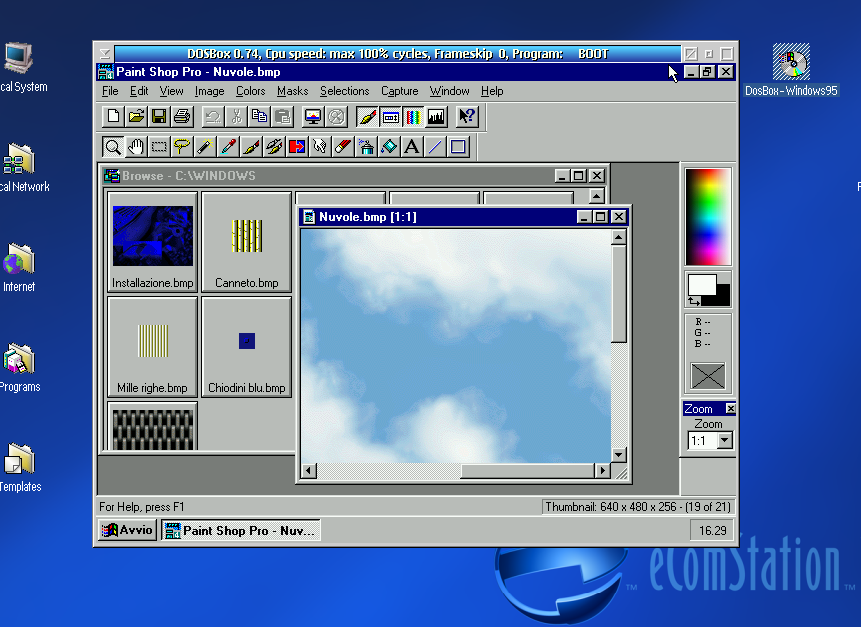
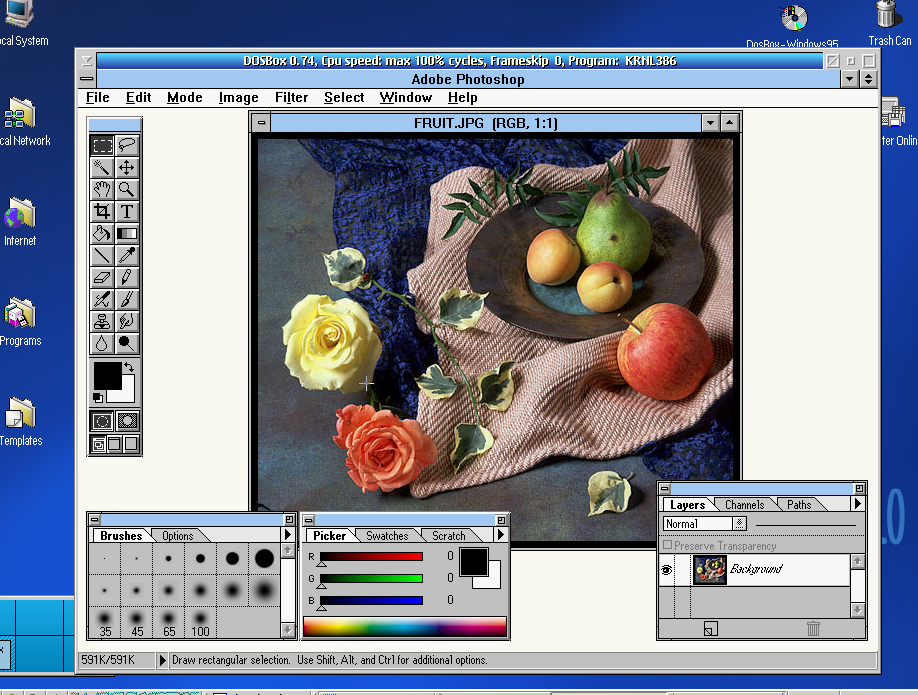
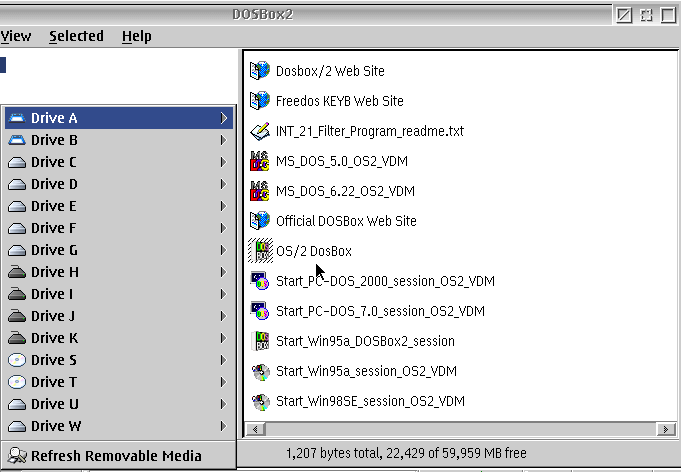


Aggiungi un commento